Page 10 of 25
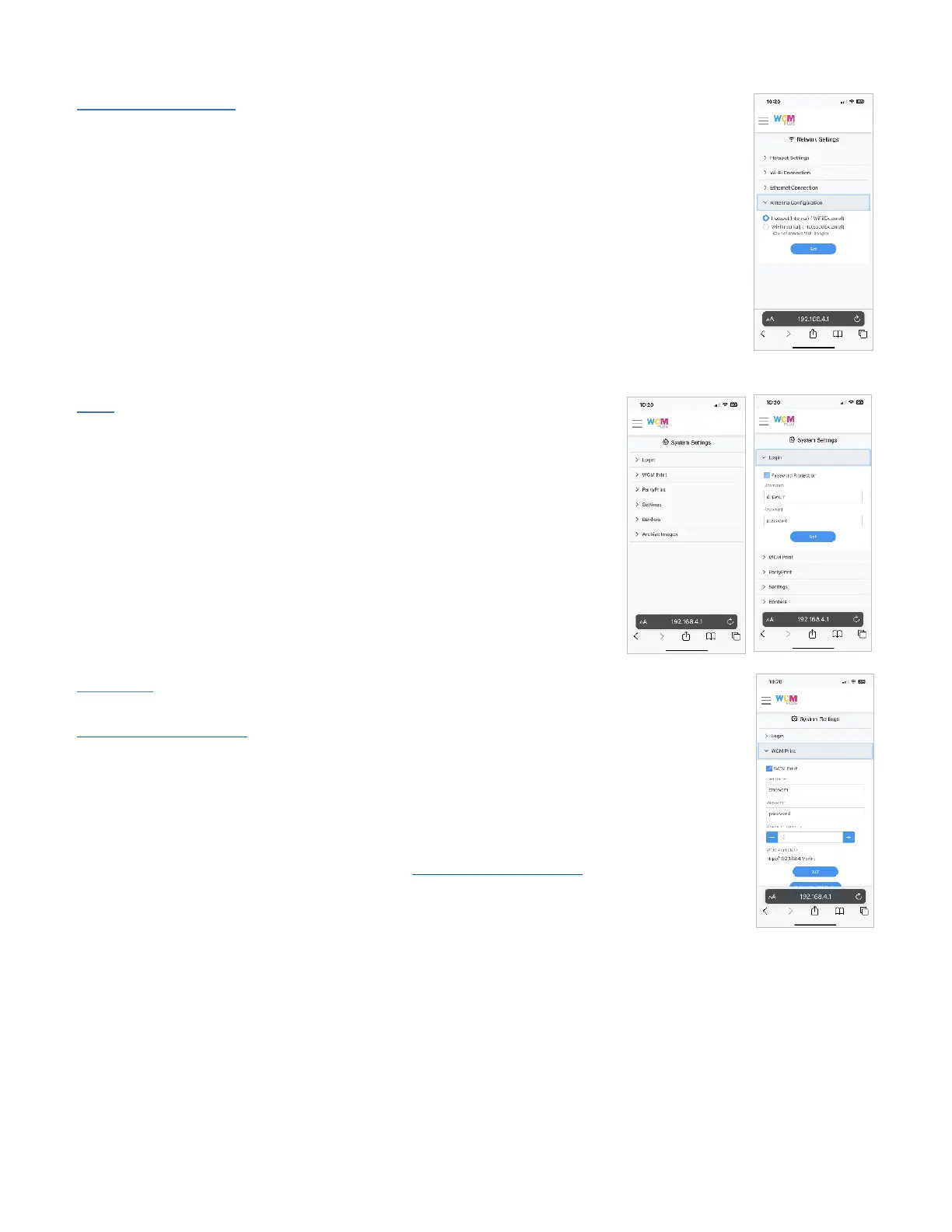
Antenna Configuration – Antenna configuration allows you to switch the antenna that is used
for the hotspot and the antenna that is used for Wi-Fi. There are several benefits to this
feature.
• If either the hotspot or Wi-Fi signal strength are less that optimal, switching the
antenna configuration may provide a better connection.
• A high gain antenna can be purchased to increase range and connectivity.
(recommend TP-Link Archer T3U Plus, this device can be purchased from Amazon)
• If the external antenna is lost, the system will default to the internal antenna for the
hotspot connection
System Settings
Login – You can password protect access to the WCM-Plus admin portal.
Selecting the checkbox will prompt you for a username and password.
Default settings are:
Username: dnpwcm
Password: password
Note: both the username and password are case sensitive. The username and
password can be changed.
Tap Set to set the password protection.
Note: the username and password can be reset to the default username and
password from the login screen if necessary.
WCM Print – allows guest access to the Print function without providing access to the admin
portal. This activates the same login password requirement as above, but still allows access to
http://192.168.4.1/print. Selecting the WCM Print checkbox will prompt you for a for a
username and password. Default settings are:
Username: dnpwcm
Password: password
You can set the maximum number of images a guest is able to send to the WCM-Plus at a time.
You can also print a QR code for guest access to http://192.168.4.1/print.



 To Next Page