Page 19 of 25
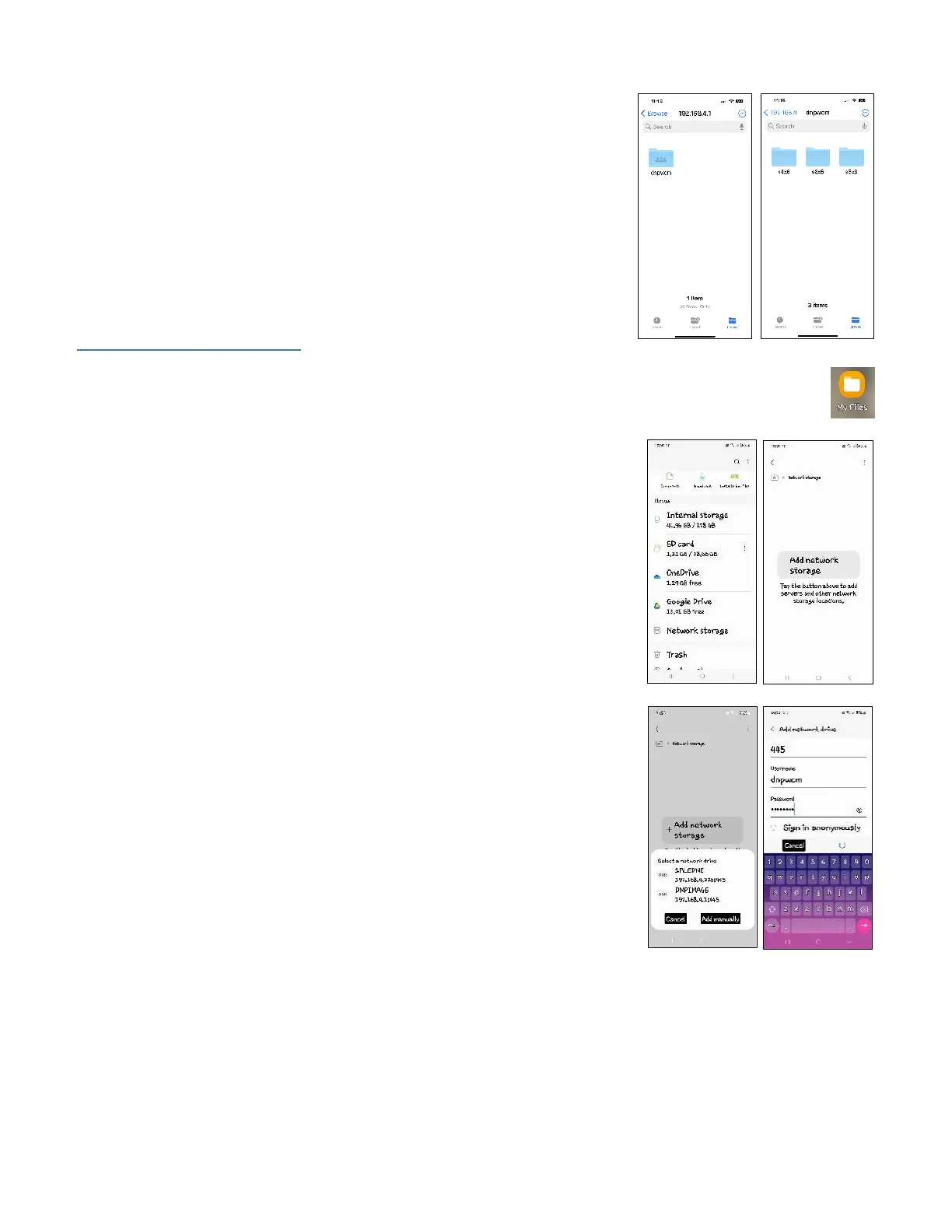
This will show the shared network folder: dnpwcm. Open the dnpwcm folder
to see the hot folders. There will be a hot folder for each available print size.
You can copy image files into the desired print size folder, and it will print on
the first available printer that supports the desired print size.
If you have multiple printers connected to the WCM-Plus and want the print
to go to a specific printer, open the print size folder to see the connected
printer. You can copy image files into the printer folder, and it will print the
desired print size on the specified printer.
To setup hot folders for Android
1. Connect the Android device to the WCM-Plus hotspot.
2. Open the My Files app and scroll down and tap Network storage and
Add network storage.
3. Select DNPIMAGE (it may take a few seconds to appear)
4. Enter the username and password
• Name = dnpwcm
• Password = dnp12345



 To Next Page