Page 18 of 25
Hot Folder
Hot Folder Printing
Setting up a hot folder allows image files to be placed in a specific folder which automatically sends the image to
print a specific size and a specific printer. A hot folder can be set up for iOS, Android, Mac, and Windows.
To use a hot folder the device must be connected to the WCM-Plus hotspot and have a DNP printer connected to
the WCM-Plus.
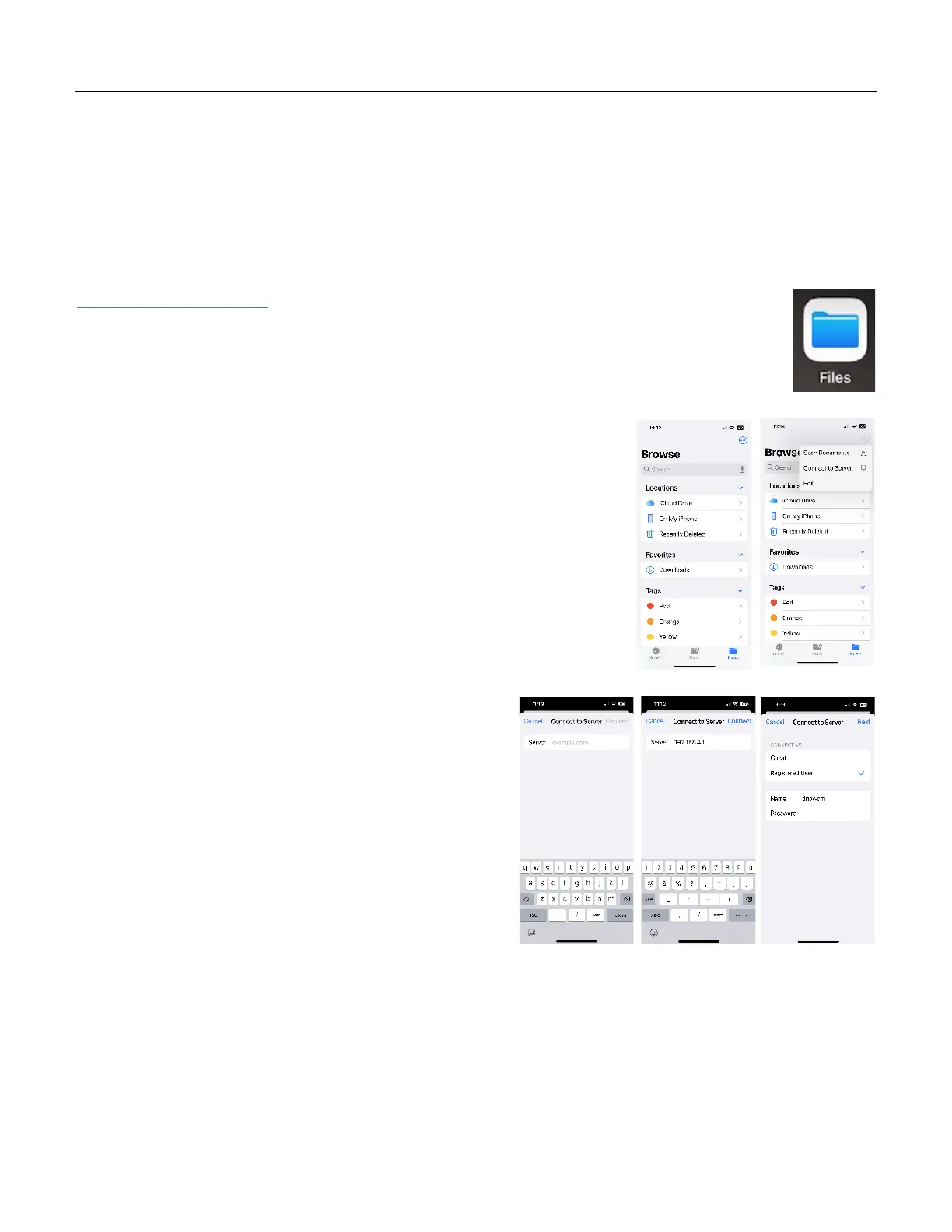
To setup hot folders for iOS
1. Connect the iOS device to the WCM-Plus hotspot.
2. Open the Files app on your iPad or iPhone
3. Tap the circle with three dots and then tap “Connect to Server”
Enter 192.168.4.1 and tap Connect
Connect as Registered User and enter the name and
password:
• Name = dnpwcm
• Password = dnp12345



 To Next Page