30 31
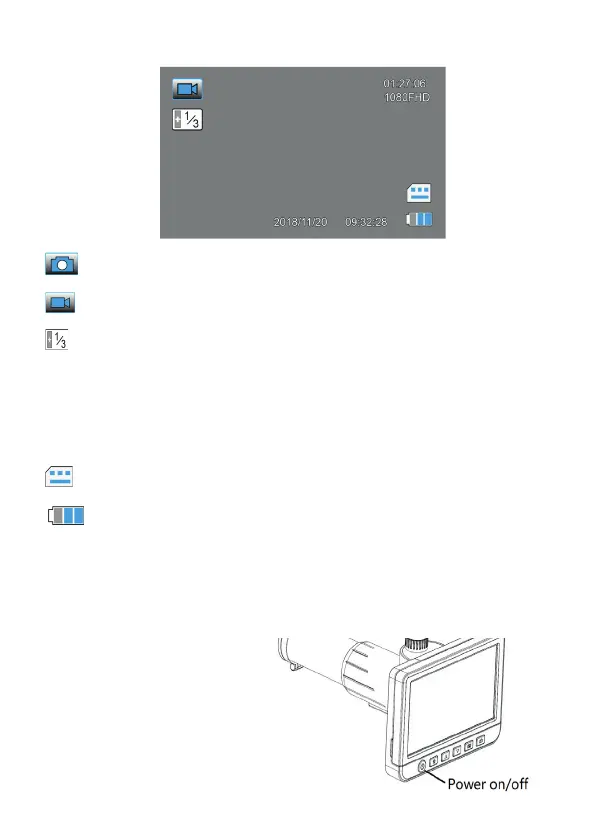
Display Symbols
Single image mode (photo mode)
Video-Mode
Exposure setting
01:27:06 Remaining recording time or number of frames depending
on the resolution
1080HD Selected resolution
microSD card recognized
Battery charge status (3x blue = full, empty symbol = discharged)
The symbols in the display are switched off 10 s after the last key was pressed.
Switch on and off, fold out the screen
- Press the on/off button (1) for
approx. 3 s until the start message
appears on the display.
- Briefly press the button to switch
off the device.
- If necessary, you can fold out the
screen to have an optimal view of
the picture.


 To Next Page