38 39
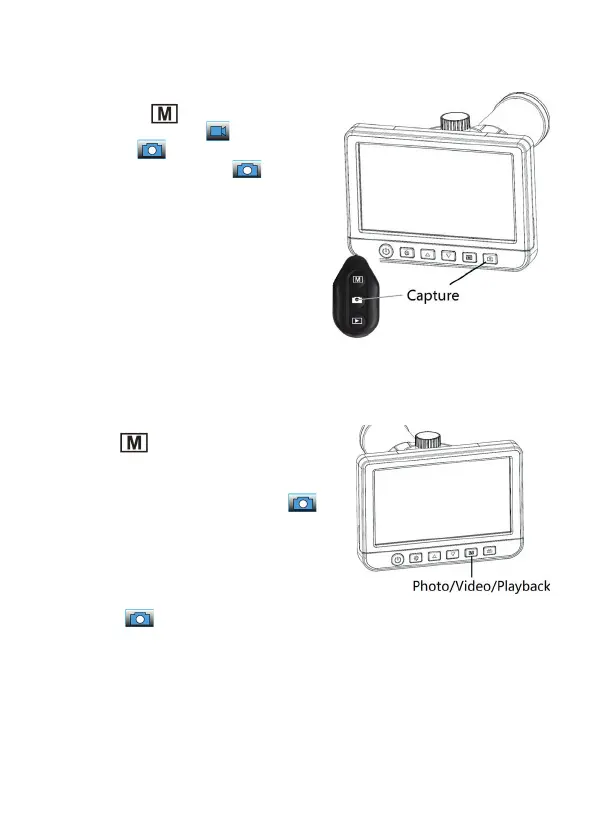
Record single images/videos
- When you have focused the image, you
can use the
button to choose bet-
ween video recording ( ), single image
recording ( ) or playback.
- Use the record button (6, ) to start
(and stop with video recording) the re-
cording.
- Alternative, you can also carry out the
mode and the start of recording/photo
recording with the corresponding buttons
(15/17) on the cable remote control after
you have connected it to the connection
for the cable remote control (14). In this
way you can avoid blurring effects.
Play single images/videos
- Use the
button to select the play ().
- Then select the desired recording with
the arrow buttons / and start the
playback for video files with the
button.
- With the arrow buttons / you can set
the playback speed during the playback,
this appears with +/- on the display.
- The playback of videos can be stopped
with the button.


 To Next Page