32 33
select the „Internal memory“ or „SD card“ line and confirm your selection with
the button
- Now select the line „OK“ with the arrow buttons and confirm the selection with
the button.
- Now any existing data on the memory card or internal memory will be deleted
and the card/memory will be formatted for use.
- If you do not want to delete and format the card now, select instead „OK“ the
option „Cancel“ and confirm the
selection with the button .
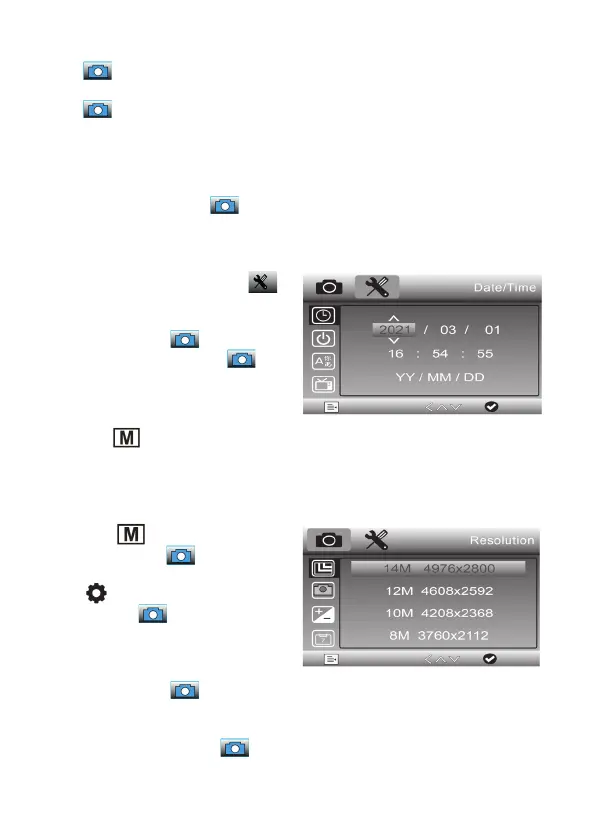
Set the date
- Select the second menu page: .
- Use the arrow buttons / to select
the line „Date / Time“ and confirm the
selection with the button.
- In the settings menu, use the button
to change the display position and set the
position with the / arrow buttons.
Set the date format in the lower line.
- Use the
button to return from the
menu after completing all settings.
Set single image resolution
- Use the
button to select single
image recording (
).
- Then select the menu of the device with
the
button. Now the first menu page
appears, the symbol is highlighted
in blue.
- Use the arrow buttons / to select
the line „Resolution“ and confirm the
selection with the button.
- Now select the desired image resolution
with the arrow buttons / and con-
firm the selection with the button.


 To Next Page