32 33
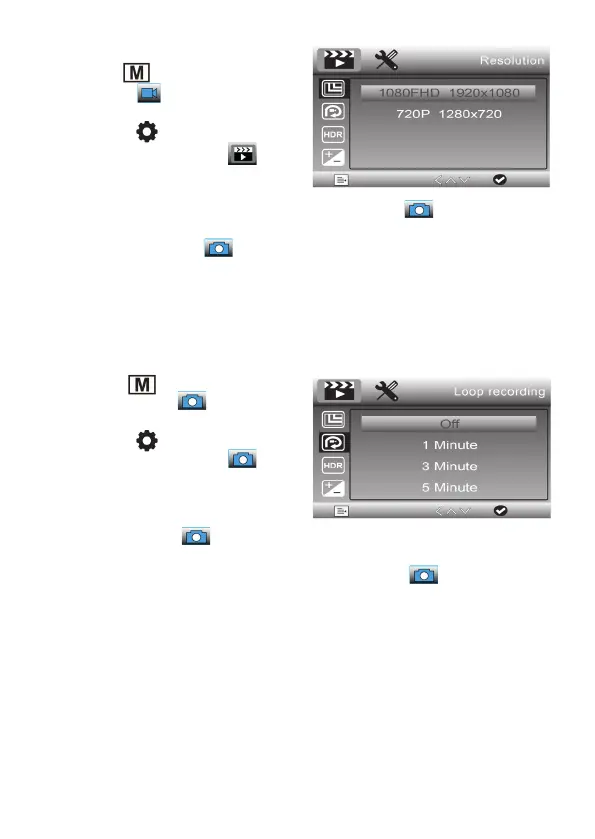
Set video resolution
- Use the
button to select the video
recording ( ).
- Then select the menu of the device
with the
button. Now the first
menu page appears, the symbol
is highlighted in blue.
- Use the arrow buttons / to select
the line „Resolution“ and confirm the selection with the
button.
- Now select the desired video resolution with the arrow buttons / and confirm
the selection with the
button.
Set self-timer for single images
With this setting you can set a self-timer, after which the device automatically takes a
single picture. This way you can avoid blurring when triggered using the record button.
- Use the
button to select single
image recording (
).
- Then select the menu of the device
with the button. Now the first
menu page appears, the symbol
is highlighted in blue.
- Use the arrow buttons / to select
the line „Capture mode“ and confirm the
selection with the button.
- Now use the arrow buttons / to select the desired self-timer level („Single“
= immediate release) and confirm the selection with the button.
- If a self-timer level is selected, the timer symbol appears at the top of the picture
when taking a single picture. Now the image acquisition starts only after the timer
has expired. The countdown is displayed in seconds.


 To Next Page