Operation Manual
VacuDAP 2002
2002BA01e.DOC / 22.07.2004 15 of 22
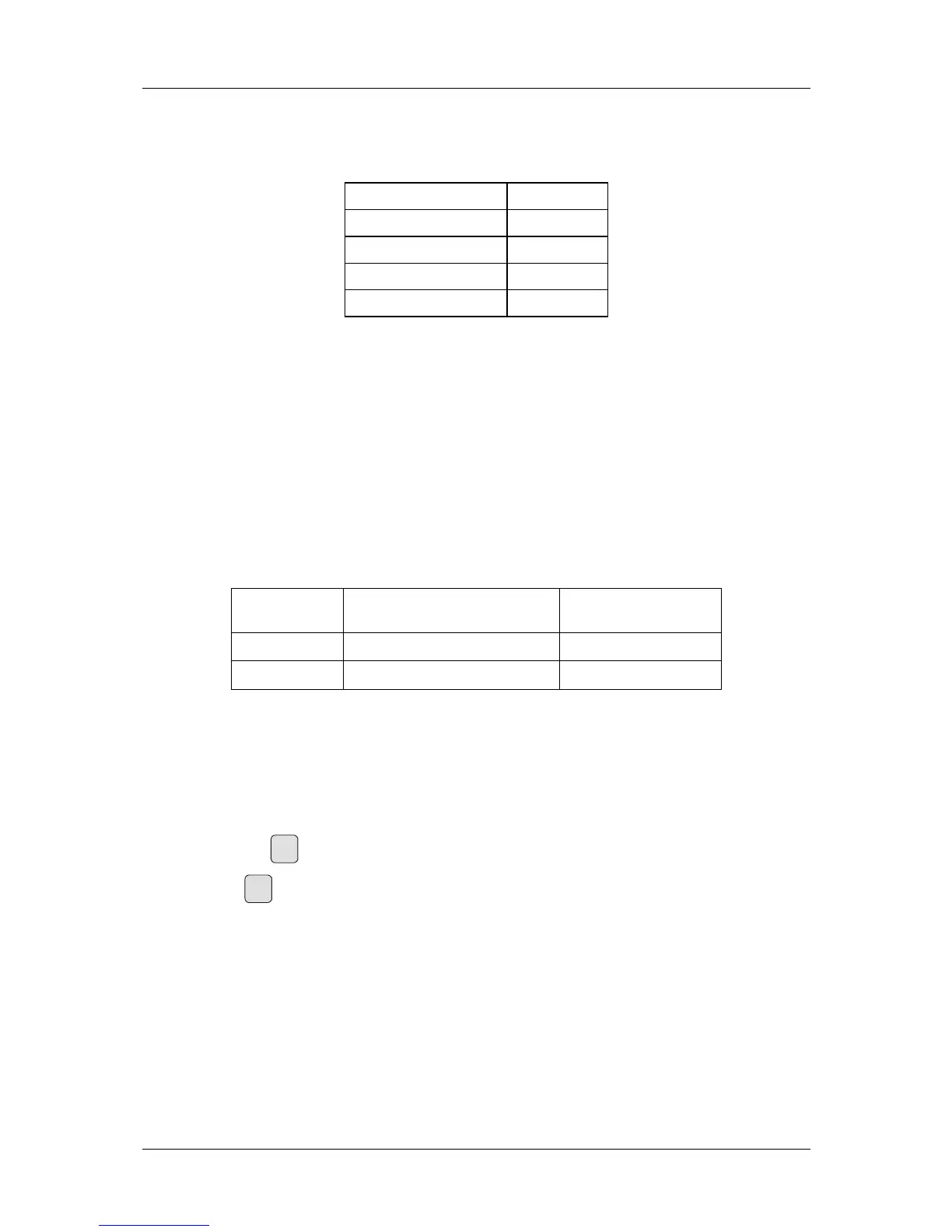
Should the measured data be sent to a PC, the serial interface of the computer must be configured as
shown in Table 5.
Baud rate 9 600
Data bits 8
Stop bits 1
Parity none
Printout none
Table 5: RS-232 settings (COM)
3.3.7 Remote control
It is possible to control the measuring system from a PC and transmit the measured data to the PC via
the serial interface (RS-232). The software for the computer is offered under accessories (see 6,
Accessories and options). Also available is a detailed description of the interface module.
3.3.8 Selection of measuring mode
In order to meet the different requirements encountered in radiographic and fluoroscopic applications,
the VacuDAP 2002 measuring system allows two measuring modes to be set (see Table 6).
Display Measuring mode
Readout during
RESET function
RADIOGRA
Radiography
RESET
FLUOROSC
Fluoroscopy
RESET FL
Table 6: Measuring modes
While the radiographic measuring mode (RADIOGRA) is best suited to short irradiation times and high
DAP power levels, the fluoroscopic mode (
FLUOROSC) should be selected when long irradiation times
and low DAP power levels prevail.
Changing from one mode to the other is explained with reference to the program flowchart (see
Fig. 2). To change the mode, the measuring system must be set to the MEASURE function.
1.
Press key
Reset
.
2. Press
Print
during RESET (or RESET FL) and keep pressed until WAIT appears.
Thereafter, the newly set measuring mode is displayed (see Table 6), and the RESET function is
carried out.


 To Next Page