EasyManua.ls Logo

Dogtra Pathfinder - App Features Overview; MAP; COMPASS; E-COLLAR

Dogtra Pathfinder
38 pages
Print Icon
To Next Page IconTo Next Page
To Previous Page IconTo Previous Page
Loading...
3.2 Pho
n
※ T
h
feet.
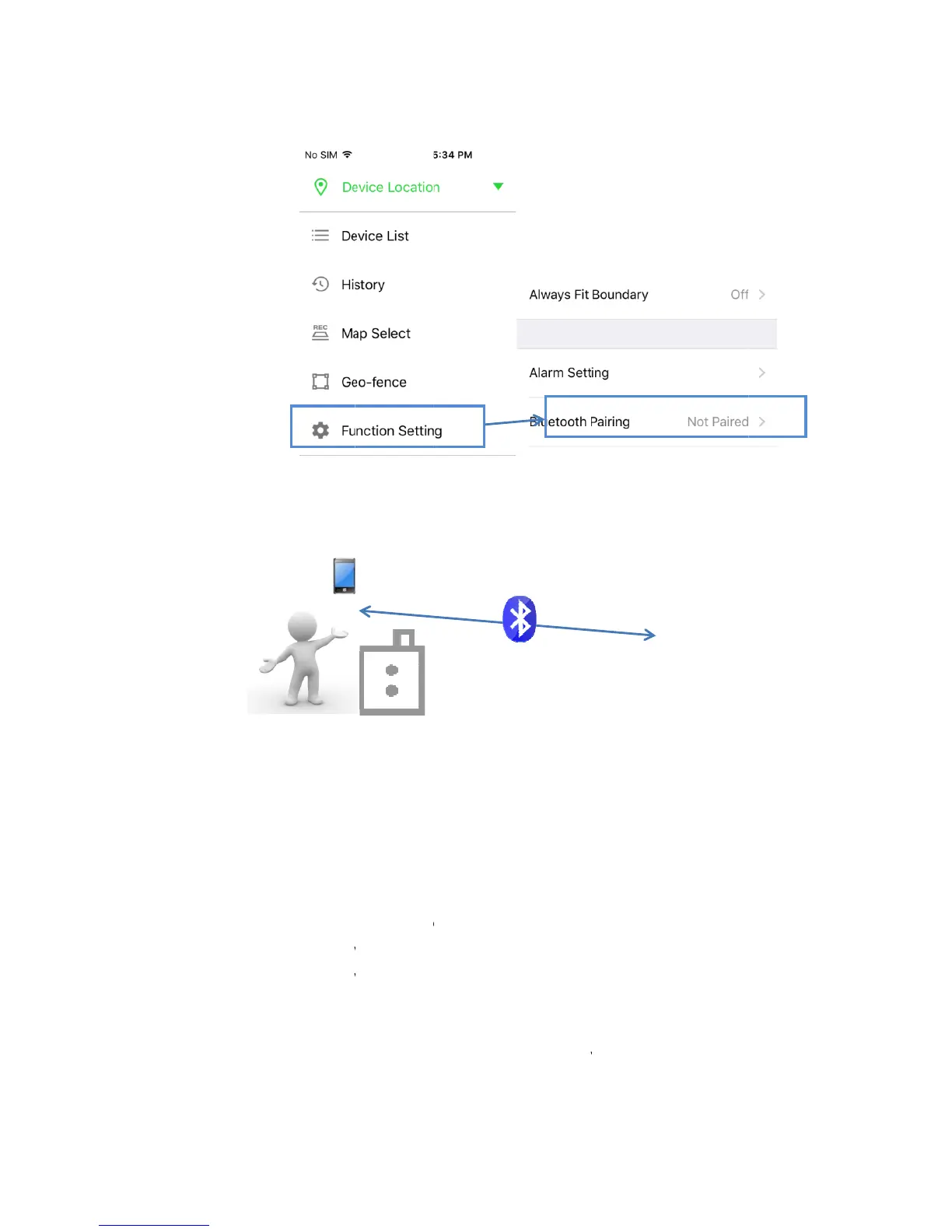
3.3 Pairi
Pair
can
u
3.3.
1
3.3.
2
3.3.
3
3.3.
4
3.3.
5
3.3.
6
n
e and GPS
h
e maximu
m
ng the GPS
the GPS Co
n
u
se the Pat
h
1
on Turn
2
Check t
h
3
Use the
4
Hold do
w
5
Hold do
w
played.
6
The mel
o
Collar w
i
Connector
r
m
communic
a
Connector
a
n
nector and
h
finder app
t
the GPS Co
h
at the GPS
select butt
o
w
n the con
n
w
n the pow
o
dy will sto
p
i
ll return to
r
ange
a
tion range
a
nd GPS Col
GPS Collar
t
o check if t
nnector on.
Collar is tur
n
o
n on the G
P
n
ect button
er button o
n
p
and the L
E
blinking in
n
1
for the GPS
lar
in close pr
o
he GPS Coll
n
ed off.
P
S Connect
t
for 5 secon
d
n
the GPS C
E
Ds on the
G
n
ormal inter
v
1
0m
Connector
o
ximity to e
a
ar is proper
t
o set the L
E
d
s until LED
ollar until t
h
G
PS Connec
t
v
als.
and phone
i
a
ch other. Y
o
ly paired.
E
D to Collar.
blinks rapid
h
e melody i
s
t
or and GPS
i
s 33
o
u
ly.
s

Other manuals for Dogtra Pathfinder

Related product manuals