4.10 Geo-fence
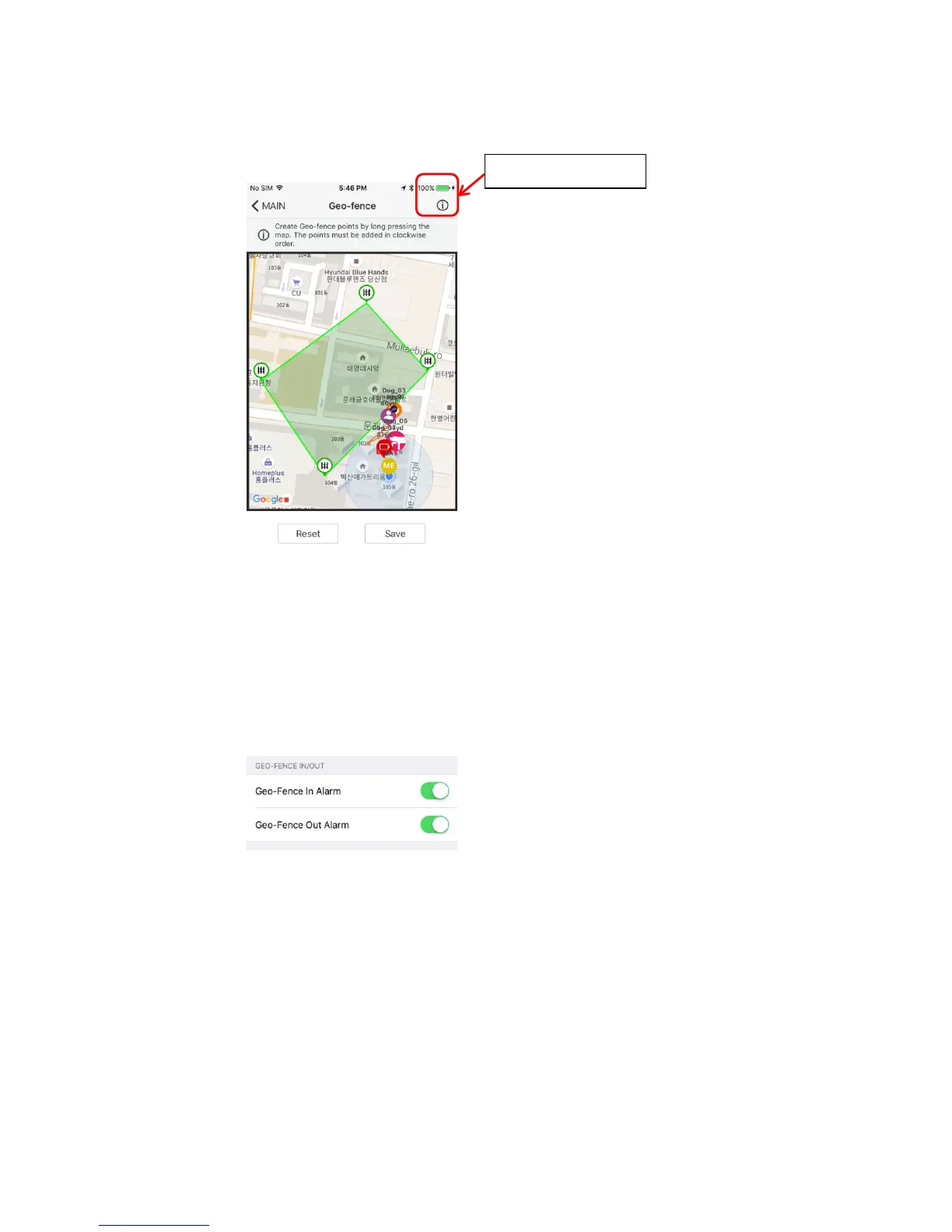
A Geo-fence can be created for an area specified.
The Geo-fence will be displayed on the Map tab. Dog alerts for the Geo-fence are
turned on by default and a notification will appear when dogs exit and enter the
Geo-Fence.
※ If the Geo-fence alerts do not go off, check the function settings to see if they
are turned off.
※ The Geo-fence alerts can be turned off in the Function Settings.
4.10.1 Geo-fence Info: The info button displays more information on setting up
the Geo-fence.
4.10.2 Saving a Geo-fence
4.10.2.1 Long press the map to create a Geo-fence point.
4.10.2.2 Geo-fence points must be created in clockwise order. Geo-fence
points cannot intersect and an invalid Geo-fence will be displayed in
red.
4.10.2.3 A valid Geo-fence is displayed in green.
3.10.1 Tutorial


 To Next Page