40 Dolby
®
Digital Cinema System Manual Issue 0.92 (Preliminary)
Installing a Dolby Digital Cinema System
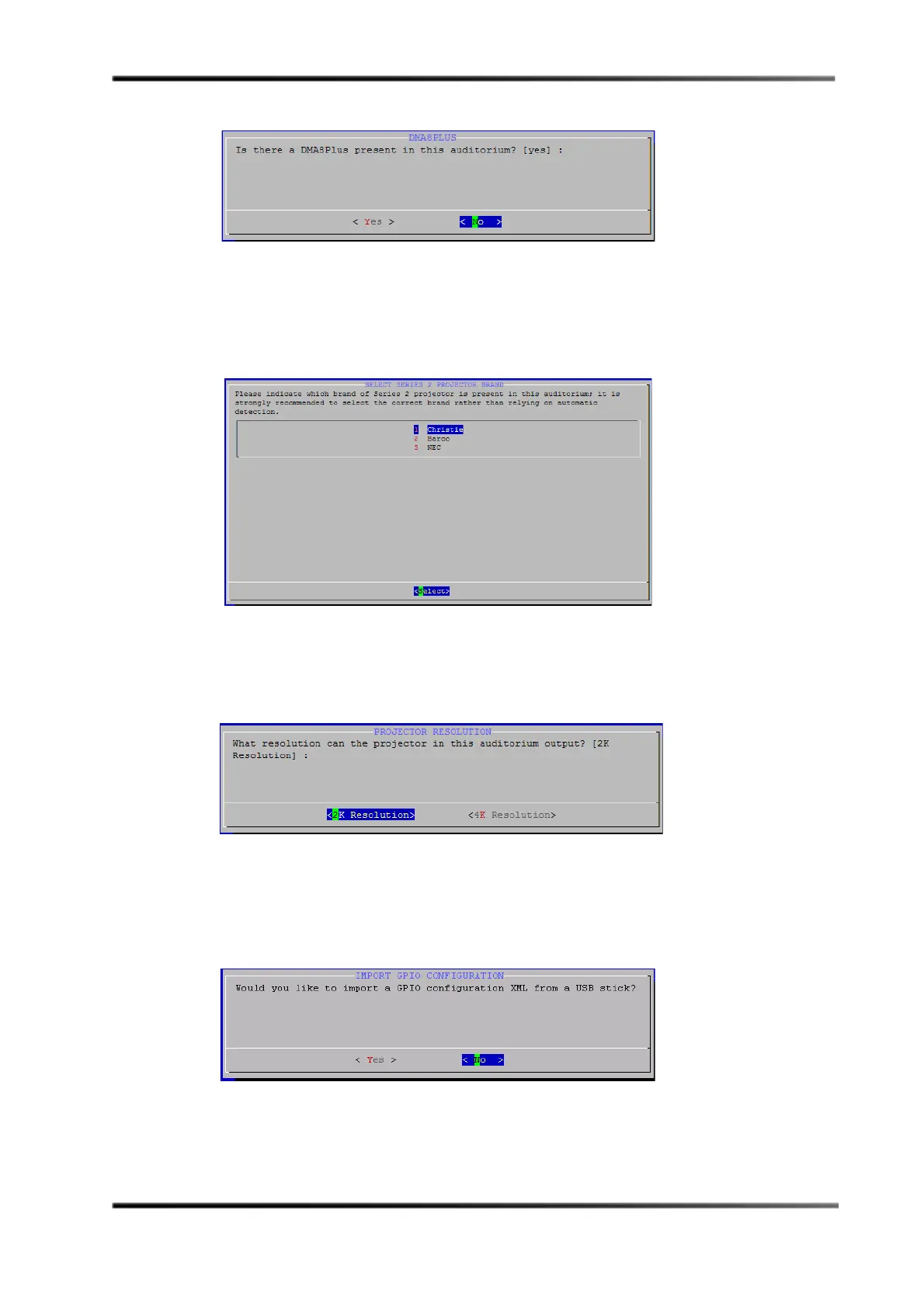
Figure 3- 31
Figure 3-31 DMA8Plus Screen
10. Press <Enter> to select No (default) if a DMA8Plus is not installed or press <Tab> to
select
Yes if it is installed, and then press <Enter>.
The
Select Series 2 Projector Brand screen appears, as shown in Figure 3-32.
Figure 3- 32
Figure 3-32 Select Series 2 Projector Brand Screen
11. Select your Series 2 projector brand, then press <Enter>.
The
Projector Resolution screen appears, as shown in Figure 3-33.
Figure 3- 33
Figure 3-33 Select Series 2 Projector Screen
12. Select 2K or 4K, depending on the output resolution of your Series 2 projector, then
press <Enter>.
The
Import GPIO screen appears, as shown in Figure 3-34.
Figure 3- 34 The GPI/O C
Figure 3-34 Import GPIO Configuration Screen



 To Next Page