User Manual of DOLCWIUHFP
13
Appendix 1 How to check the performance simply?
Purpose: When a malfunction occurs during the using, the follow steps will help you to check the
performance of the reader simply.
1. Test Sites: Open area without any barrier or block.
2. Reader Install Height: Over 2 Meter and power the reader with Power Adapter & Power Code
enclosed the package.
3. Test Tag: use the tag enclosed the package
4. Tag Install: by hand, use the correct way as figure 3.2-3
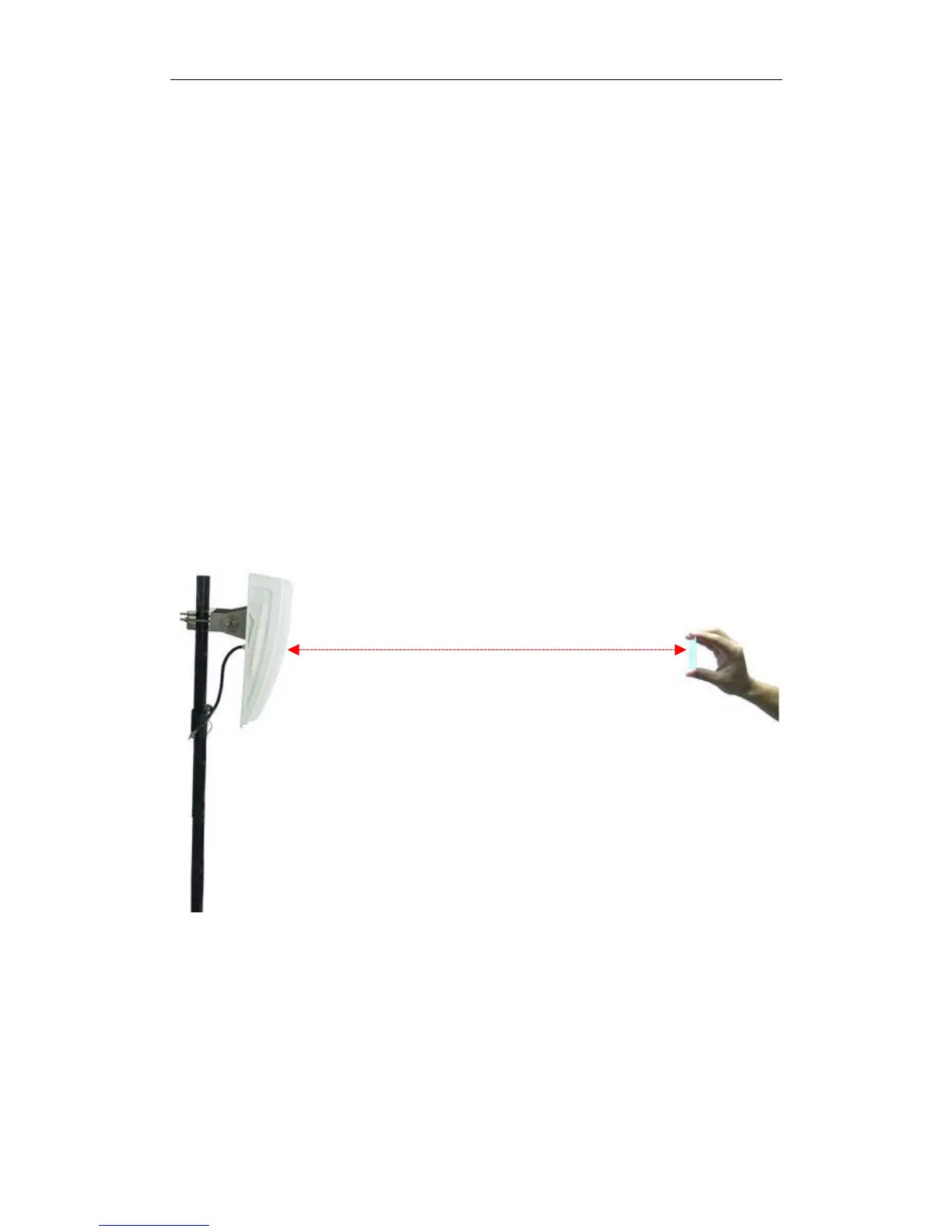
5. Test Method: Keep the front surface of the tag parallel to the front surface of the reader.
Move the tag from the near to the distant by the horizontal line (see as the figure
Appendix-1) until
the tag can not be detected by the reader. The line distance between the
reader and the tag is the MAX Distance.
6: When the MAX Distance is over 9 meters, and the reading signal of the reader is stable &
continuous, the read performance of the reader is OK.
Figure-Appendix-1
9 meters


 To Previous Page