ENiQ® Wall Readers & Terminals
_____________________________________________________________________________________
34
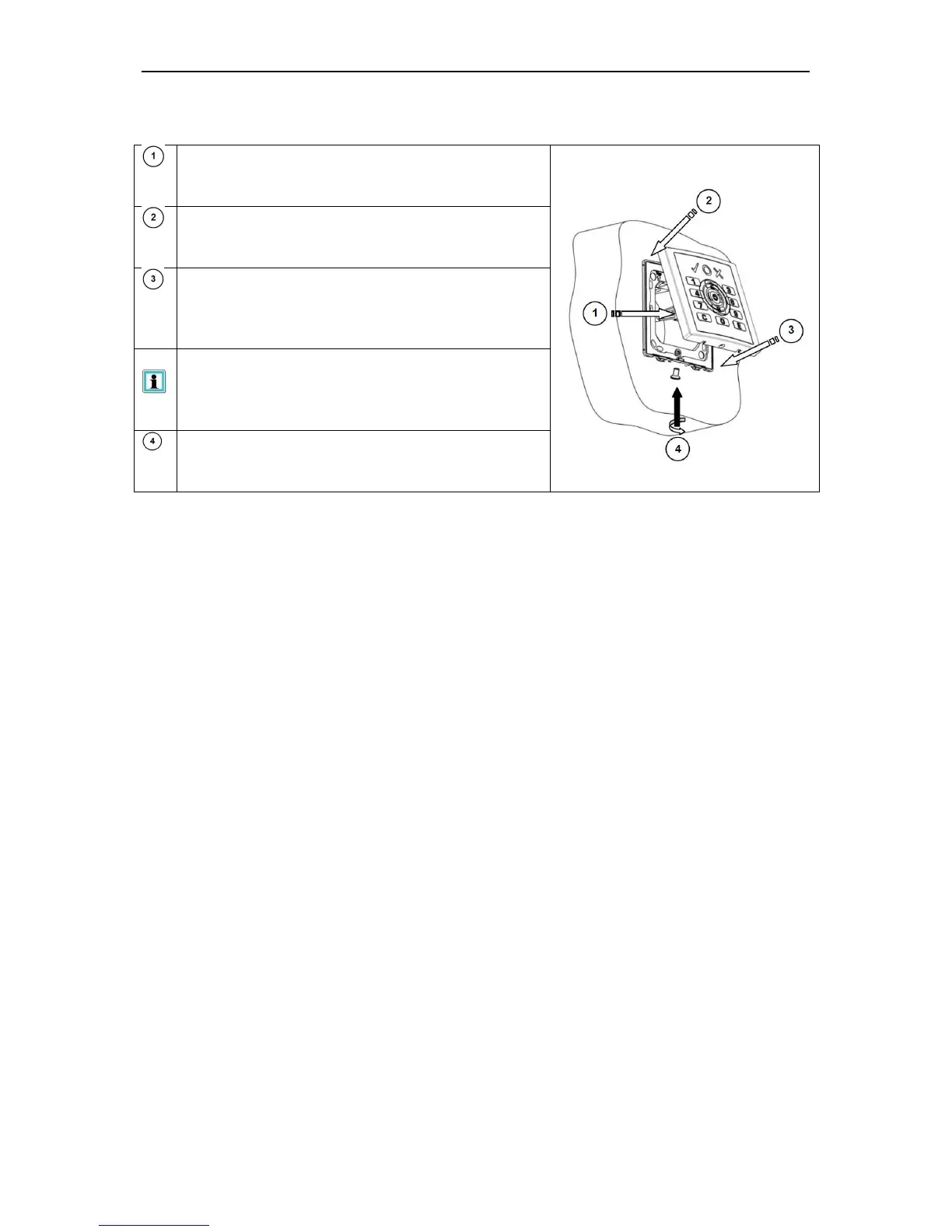
Connecting the reading module
Insert the wired multipole connector on the
reading module
Fix the reading module to the back plate
(insert it into the two safety clips at the top)
Press the reading module towards the back
module until the locking mechanisms on the
left and right clip in completely
When the clip-in process is successful you
will hear or even feel clear "click"
After the clip-in process has been
successfully completed, screw a safety screw
in place if necessary



 To Next Page