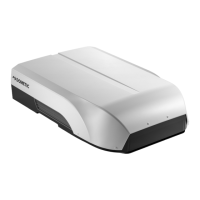
Operating the under-bench air conditioner FreshWell3000
18
Set the remote control
➤ Insert the batteries (see chapter “Replacing the remote control batteries” on
page 25).
✓ The display shows all symbols for 5 seconds.
➤ Press simultaneously the
button and the button during this 5 seconds.
✓ The display shows the default model number.
➤ Press simultaneously + and – button within 3 seconds to select the model
number:
– FreshWell 3000: 02
–FreshJet: 07
–FreshLight: 11
✓ The display shows all symbols for 5 seconds.
✓ The remote control is ready for operation.
8 Operating the under-bench air
conditioner
8.1 Basic notes on operation
The under-bench air conditioner has three operating modes:
The receiver switches on when it receives pulses from the remote control. The
display shows (flashing) the temperature setting, after 10 seconds the display shows
the room temperature, then it switches off.
You can use the remote control to
• switch the under-bench air conditioner to and from stand-by mode.
• adjust the settings
• select additional functions
Operating mode Features
Stand-by The under-bench air conditioner is ready for operation and can be
switched on with the remote control.
On The under-bench air conditioner is conditioning the air in the interior.
FreshWell3000-O-16s.book Seite 18 Freitag, 18. August 2017 2:14 14


 To Next Page
 Loading...