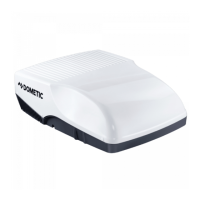
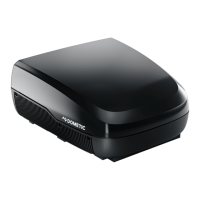
Operating the under-bench air conditioner FreshWell3000
22
Heating Mode
In the “Heating” ( ) mode, you can specify a temperature between 16 °C and 31 °C
via the remote control.
➤ Use the + or – button to select the desired temperature.
✓ The under-bench air conditioner confirms the receipt of the values with a high
note.
✓ The temperature is set on the under-bench air conditioner.
8.8 Setting the timer
The timer function allows you to set a specific time period for air conditioning. You
can specify the switch-on time, the switch-off time or both values.
I
➤ Before programming the timer, select the air conditioning mode and all required
values (e.g. temperature).
Setting the switch-on time
I
➤ Press the button once.
✓ The ON symbol ( ) flashes on the display of the remote control.
➤ Use the + or – button to set the time when the under-bench air conditioner is to
switch on.
➤ Press the SET button to transmit the value to the under-bench air conditioner.
✓ The switch-on time is set on the under-bench air conditioner.
The under-bench air conditioner is switched on with the selected air
conditioning mode at the specified time.
➤ Switch the under-bench air conditioner to stand-by.
NOTE
The remote control returns to its initial mode if no button is pressed on
the remote control for 15 seconds while programming the timer.
NOTE
The under-bench air conditioner must be switched off.
FreshWell3000-O-16s.book Seite 22 Freitag, 18. August 2017 2:14 14


 To Next Page
 Loading...