gpelectric.com | [page 15]
10.1 TOOLS AND MATERIALS NEEDED
• Screwdriver
• Drill
• Multimeter
10.2 INSTALLATION AND WIRING
STEP 1: CHOOSE AN INSTALLATION LOCATION
The following things should be considered when choosing an installation location for GP-RVC-30-MPPT controllers.
• The controller should be installed indoors where it is safe from water or condensation
• Avoid installing the controller in direct sunlight
• Mount the controller to a non-ammable surface
•
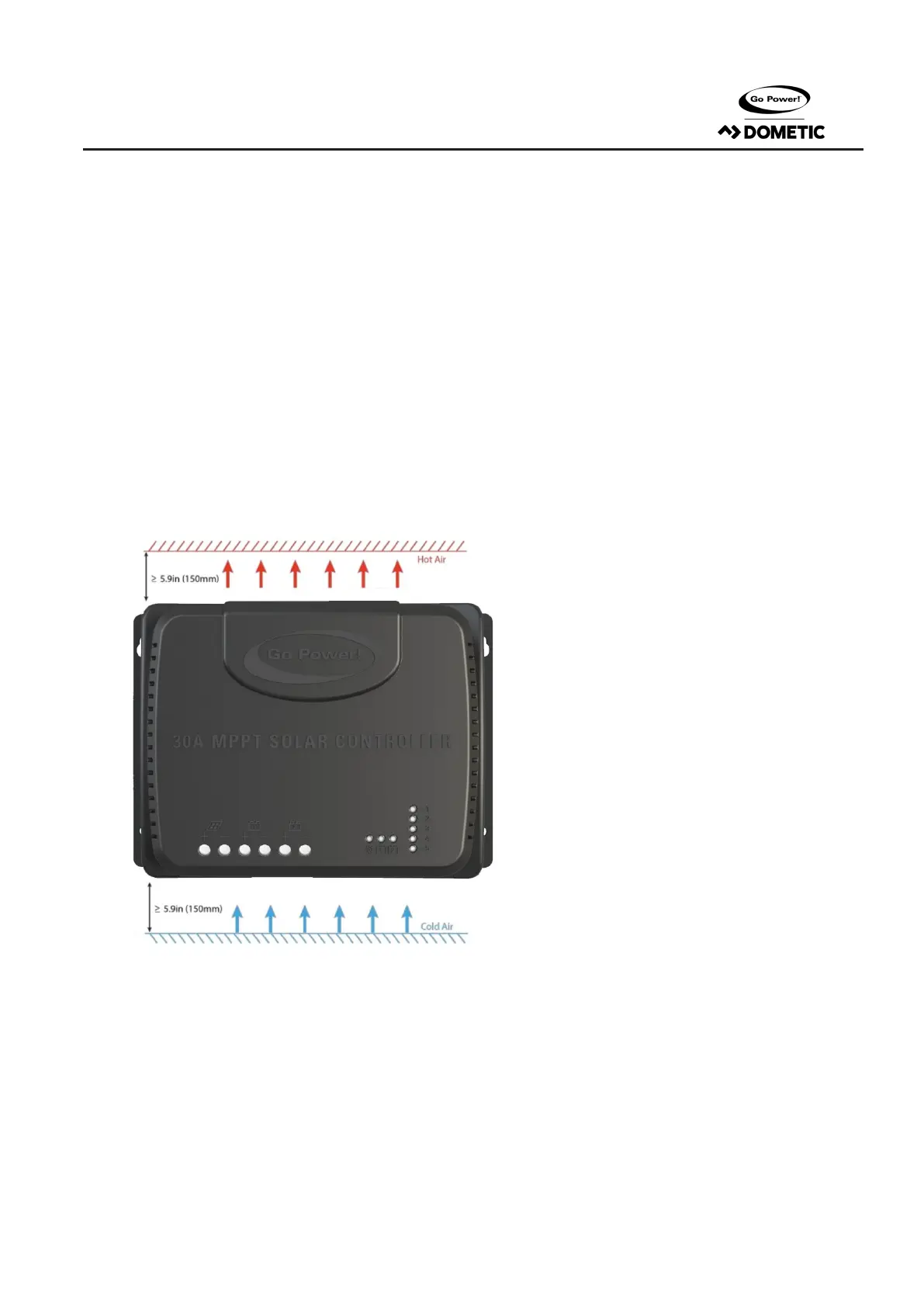
For best thermal performance mount the controller vertically with power terminals facing downward, this will
encourage natural convection through the heatsink and keep it cooler
• There should be at least 6 inches of air gap above and below the controller for the natural convec-
tion to occur eectively
•
Locate the controller as close to the battery as possible (but not directly above the battery to prevent potential
damage due to gassing of the battery), this will keep the battery wires short and prevent voltage drop
• Ensure any enclosed space where the controller is mounted is well ventilated, this will prevent heat buildup that
could lead to derating of the controller
STEP 2: MARK THE MOUNTING POSITION ACCORDING TO THE MOUNTING DIMENSIONS OF THE CONTROLLER
First, place the controller at a proper position and use a marking pen to mark the mounting points. Drill 4 mounting holes of the
appropriate size at the 4 marks. Fix screws into the upper two mounting holes.
STEP 3: FASTEN THE CONTR OLLER
Align xed holes of the controller with the two pre-xed screws and hang the controller up. Then x the lower two screws.
10. INSTALLATION



 To Next Page
 Loading...