2-10
EN
2.5 Electrical connection
2.6 Enabling SeaStation
The SeaStation sensor connects to the Optimus CAN2 or CAN3 network.
CAN3 (public N2K network) is the preferred connection if an approved
chartplotter is used. If the sensor is installed on public network, it can
replace any other GPS or compasses.
If the 20 foot communication cable is not long enough to reach from the
CAN2 or CAN3 hub to the SeaStation sensor the network backbone
should be extended to accommodate this. In the case a six port hub is
rigged in the vessel and all the ports are used, remove the terminator off
the hub and use the one foot harness to add a tee for connection to the
SeaStation sensor and terminator.
If the network backbone needs to be extended the one foot harness could
be replaced by a longer one.
SeaStation requires a license code that is specific to each installation. A copy
of the license is fixed to the back of your original manual as well as to the
bottom of your SeaStation sensor.
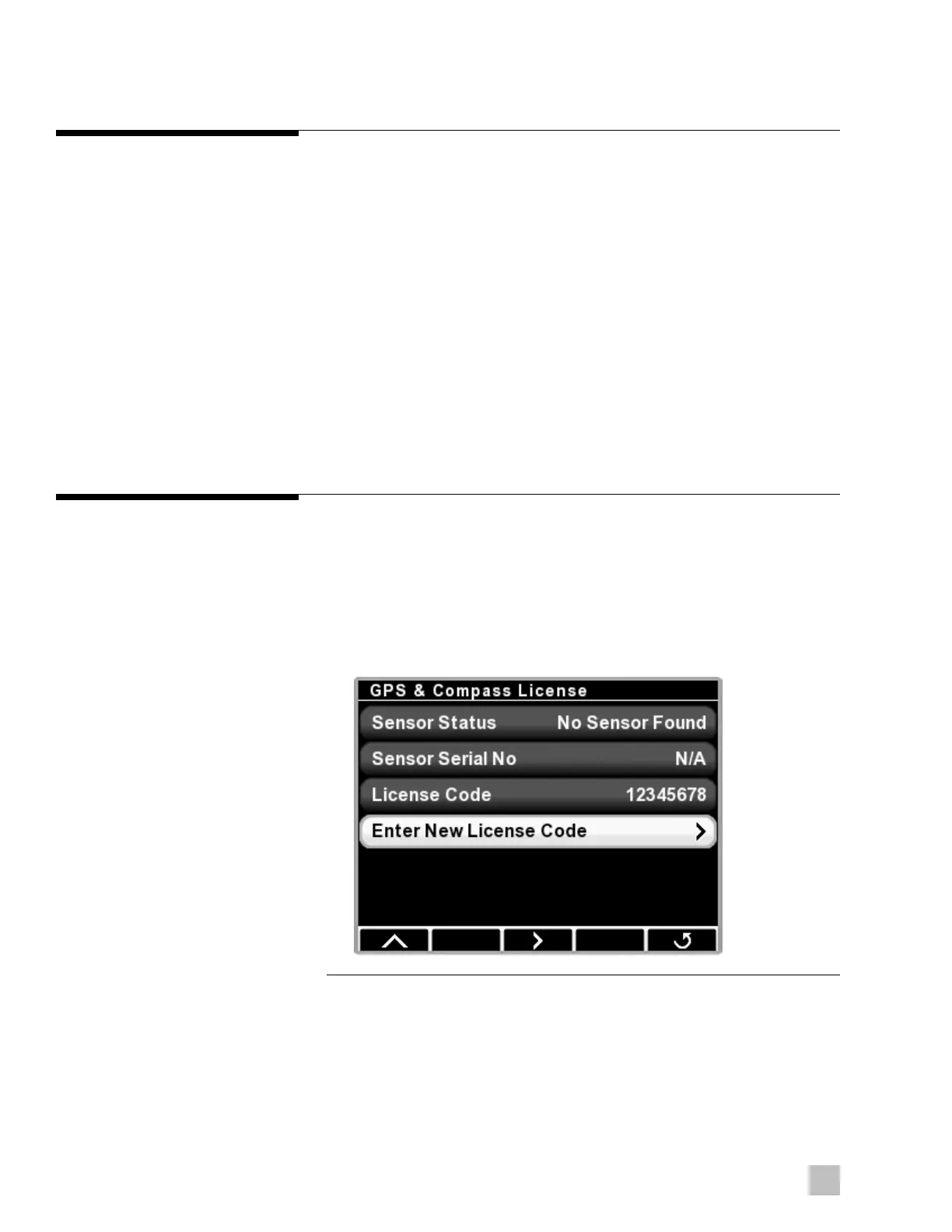
The license key must be entered in the CANtrak display to enable SeaStation.
Follow these steps:
1. Using the CANtrak, navigate to Dealer Menu > Initial Setup >
GPS and Compass License > Enter New License Code.
Figure 2-10.
2. Enter the license code (captured on back cover of this booklet).
3. Make sure the new license code is correct and press OK to confirm.



 To Next Page