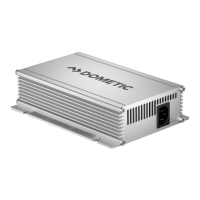
SMP439, 439-08 Maintaining and cleaning the device
19
8 Maintaining and cleaning the device
A
1. Disconnect the device from the power supply.
2. Disconnect the device from the battery.
3. Prevent the device from being switched on.
4. Occasionally clean the device with a damp cloth.
5. Regularly clean the vents.
6. Check the electrical wiring at least once a year.
7. Repair any defects such as loose connections or burnt cables.
9 Troubleshooting
NOTICE!
Do not use any sharp or hard objects for cleaning since they may
damage the device.
Status LED
fig. 1 5, page 3
and fig. 2 6,
page 4
Cause Remedy
Red, slowly flashing Battery undervoltage or
battery overload
Check the battery.
Switch the battery charger off and
on again.
Defective battery Replace the battery.
Red, quickly flashing Overheating Improve the ventilation of the
battery charger or battery.
Make sure that no ventilation
openings are covered.
If necessary, reduce the ambient
temperature.
Red, permanently lit Short circuit, reversed
polarity or broken internal
fuse
Connect the battery charger with
the correct polarity.
Remove the short circuit.
Contact the customer service for
replacing the internal fuse.


 To Next Page
 Loading...