40
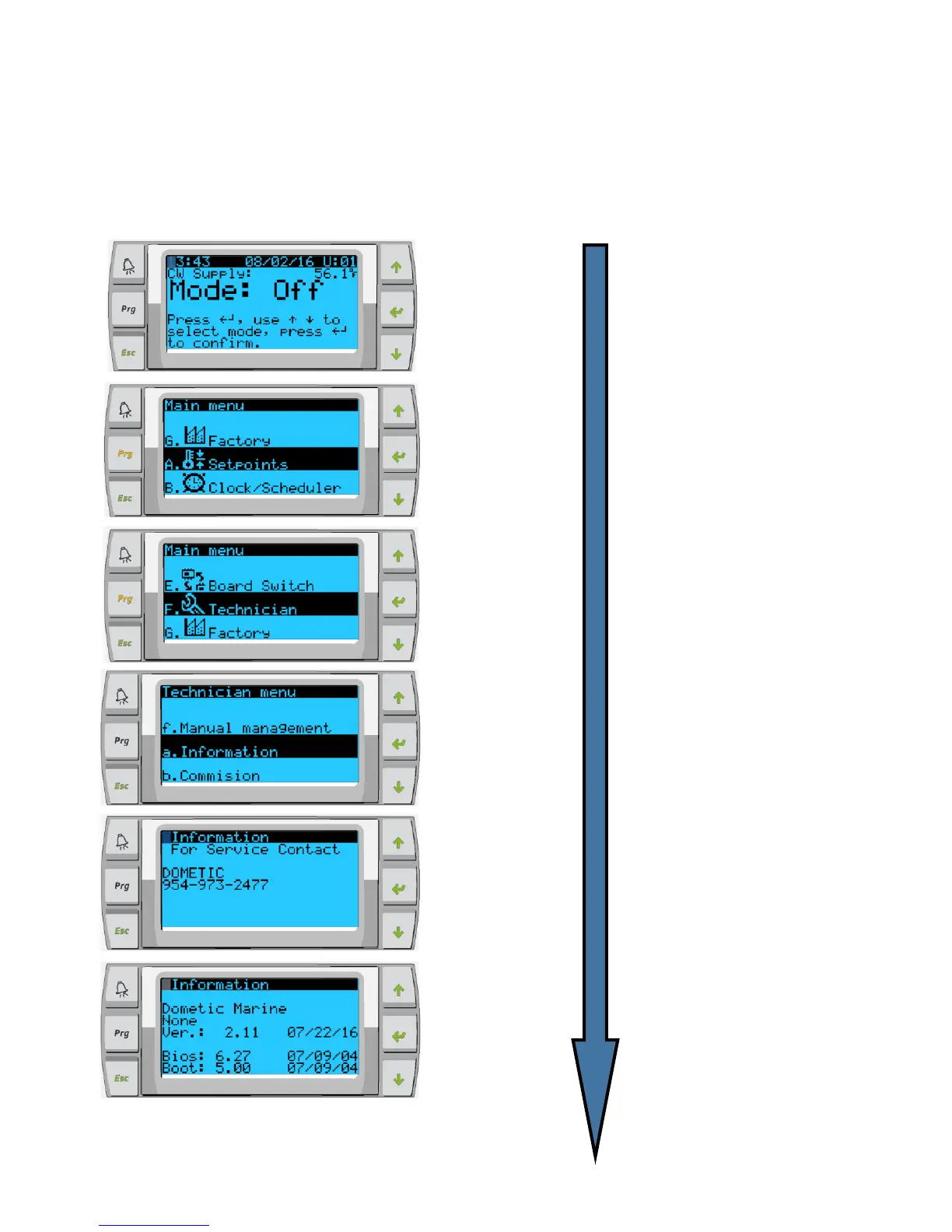
Ensuring the Firmware of each chiller is compatible
Chillers should come with the correct firmware preloaded. However, it is worth checking the versions
match as incompatible firmware can seem to work during initial setup then but cause networking
problems later down the line.
Press Prg
button to the left
Scroll up or
down to
Technician, if
prompted for a
password, 3156
Repeat for each stage and
ensure VER.: is the same
for each stage
Repeat for each stage.
In the unlikely event there is a
difference between stages, PCB
firmware will require re-flashing by
a Dometic approved engineer



 To Next Page