41
Networking (1 of 3)
When setting up the stages for networking, you need to ensure
the chillers are not connected, via Modbus connections. Stage
one requires minimal changes so start with stage 2 leaving
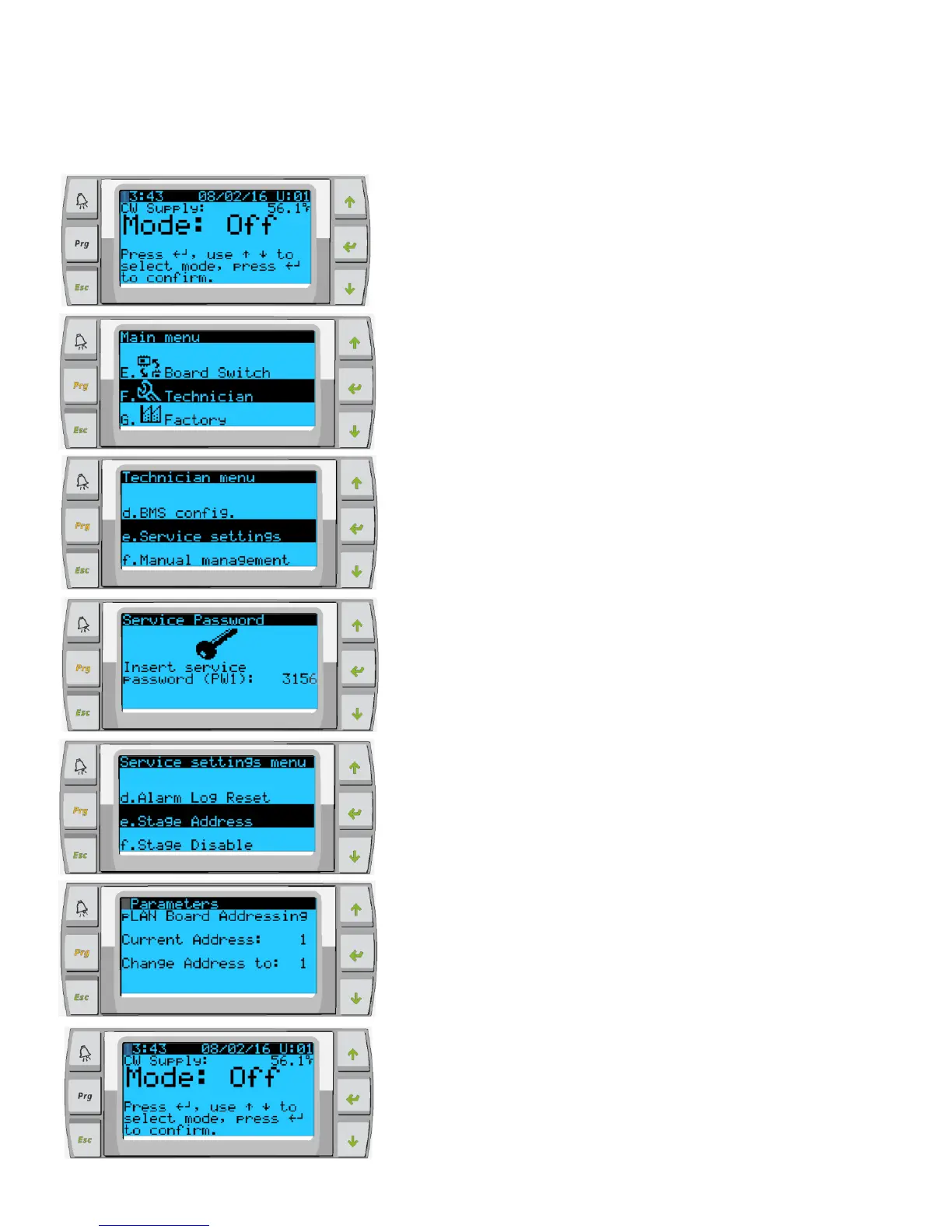
stage 1 till last. Power off all stages except stage 2. Go into
program on standard PLDPRO control
Enter Technician Password
3156
Hit enter, change address to 2 for chiller 2. 3 for chiller 3 etc.
Exit screen back to main menu and you will see confirmation of
change in the top right hand corner of the main screen. “U:02” or
“U:03”
Complete the next step of networking before moving on to the next
chiller stage.
Please note when configuring the stages, they must
not be able to communicate with each other.
Either disconnect the network connection or power
down all other stages before trying to network.



 To Next Page