17
STEP : CONNECTING THE DEVICE
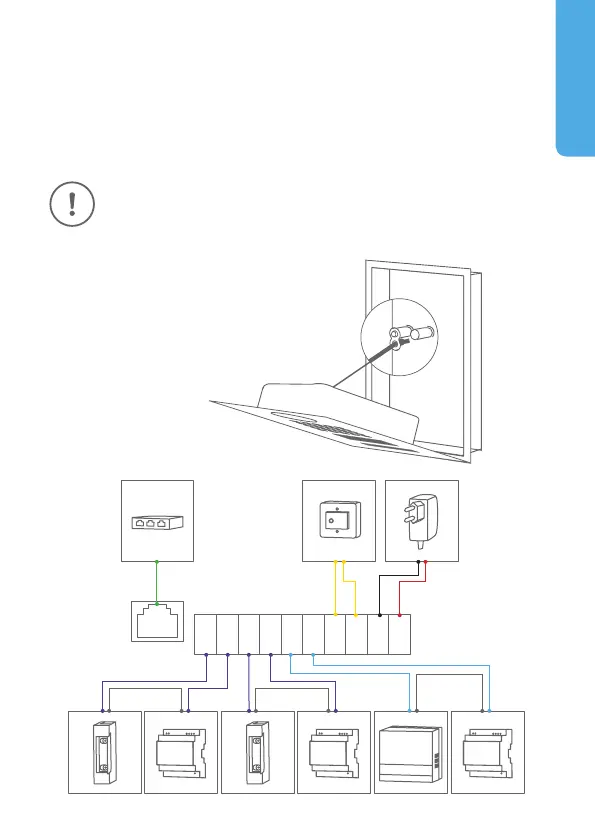
It is possible to connect the cables and wires to the device conveniently and
safely via labelled connection ports. You can connect all necessary cables
and wires to the device now. Please remove any cables and wires from the
connection ports of the device that you do not need. Remove about 5 mm of
insulation material at the end of the wires that you would like to connect to
the green screw connection terminal of the device.
Handle the front plate with care. The surface of the front plate could
be scratched or otherwise damaged if handled without care.
You can use the nylon cord to
temporary fix the front plate to the
mounting housing (backbox) while
connecting the cables and wires to
the device.
ENGLISH
LAN/POE
REL1 REL2 BELL 15VDCEXT


 To Next Page