1601-065-P-12-19
18
Movin
g
Ga
te Can Cause
Serious Injury or Death
KEEP CLEAR
! Gate
m
ay move at any tim
e
without prior war
ning.
Do not
l
et ch
i
ld
r
en oper
ate the gate or play
in the gate area
.
This ent
r
ance
i
s for
vehicles only.
Pe
destrians
m
ust use
s
ep
arate entrance.
CLA
SS
CERTI
FI
ED
T
O
CA
N
/
C
SA C22.2 N
O. 247
CONFO
RMS TO
AN
S
I
/
U
L-325
VE
H
ICULA
R
G
AT
E
O
P
E
RA
T
O
R
H
P
53382
M
O
D
EL
SER
I
A
L
VO
LTS
PH
A
SE
AMPS
60
H
z
MAX G
A
T
E LO
AD
Door
Ki
n
g,
Inc.
,
I
ng
l
ewoo
d,
CA
4.1 Mounting Hub(s)
Hub
Hub
Locking
Plate
Bolt
Screw
Horizontal
Vertical
Mount hub(s) as shown with
operator in the DOWN position.
A single hub should be mounted
on the SAME side as
oncoming traffic.
Hub in the DOWN position.
Arm Direction
Wood bracket holes
(See next page).
Plastic/Aluminum/
Octagon bracket
holes
(See next page).
Horizontal Arm Direction
DOWN position
DOWN position
Horizontal Arm Direction
Vertical Arm Direction
Vertical Arm Direction
Arm Direction and Bracket Hole Positions
SECTION 4 - ARM INSTALLATION
Arm installation varies depending on the operator model and individual installation requirements.
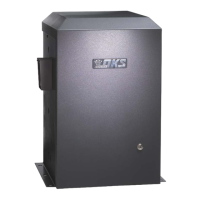
All operators are equipped with 2 hub connections on opposite sides of the operator.
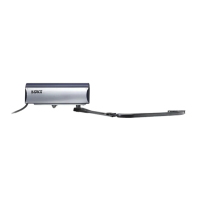
The 1601 operates with a single 14 ft arm (either straight or folding arm).
The 1601 CAN NOT operate with the 20 ft, 24 ft and 27 ft 3-piece arm assemblies.
The 1602 operator is designed for the 3-piece 20 ft, 24 ft and 27 ft arm assemblies only.
Hub
Access
Door
Access Door
Note: If your 1601 installation does NOT allow
the arm to mount in this direction, see Section
5.3, (page 24) to reverse factory setup.
Oncoming Traffic
Oncoming Traffic



 To Next Page