109
MicroController Control System Testing And Adjusting
Description of SET OPTIONS Functions
The options can be set on the “SET OPTIONS” Menu.
Function Option Meaning
1. HOUR COUNTER RUNNING Hour meter enabled when running.
KEY ON Hour meter enabled when the key is on.
2. BATTERY CHECK ON Battery voltage check activated on stand by. When the charge is
lower than 60%,the maximum current is reduced by 50% .
OFF Battery discharge is not checked.
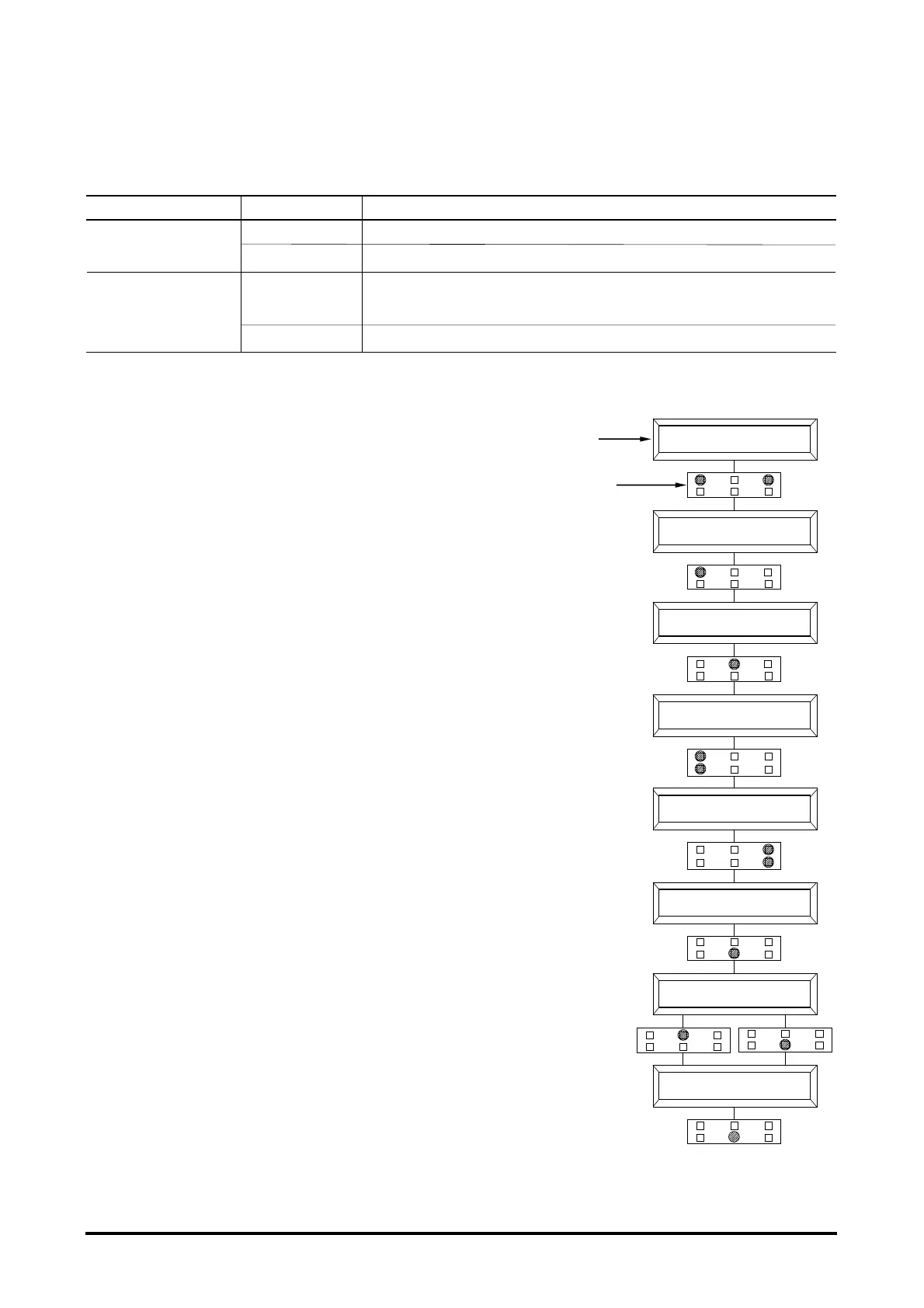
Flow chart showing how to make changes to Option Menu.
1. Opening HEADING.
2. Press Top Left & Right Buttons together to enter
CONFIG. MENU.
3. The Display will show : SET MODEL
4. Press ROLL UP or ROLL DOWN buttons until SET
OPTIONS Menu appears.
5. SET OPTIONS appears on the display.
6. Press ENTER to go into the SET OPTIONS Menu.
7. The display will shows the first OPTION.
8. Press ROLL UP or ROLL DOWN buttons until desired
OPTION appears.
9. Desired OPTION appears.
10. Press PARAM or SET DOWN buttons in order to
modify the changes.
11. New OPTION appears.
12. Press OUT to exit the Menu.
13. Confirmation request appears.
14. Press ENTER to accept the changes, or Press OUT
if you do not accept the changes.
15. SET OPTIONS Menu appears.
16. Press OUT again. Display now show the Opening HEADING.
H2 REG DHX.XX
48V 600A XXXXXX
DISPLAY
KEYBOARD
CONFIG. MENU
SET MODEL
CONFIG. MENU
SET OPTIONS
HOUR COUNTER
RUNNING
HOUR COUNTER
KEY ON
BATTERY CHECK
ON
ARE YOU SURE?
YES = ENTER NO = OUT
CONFIG. MENU
SET OPTION



 To Next Page