Maintenance Section
93
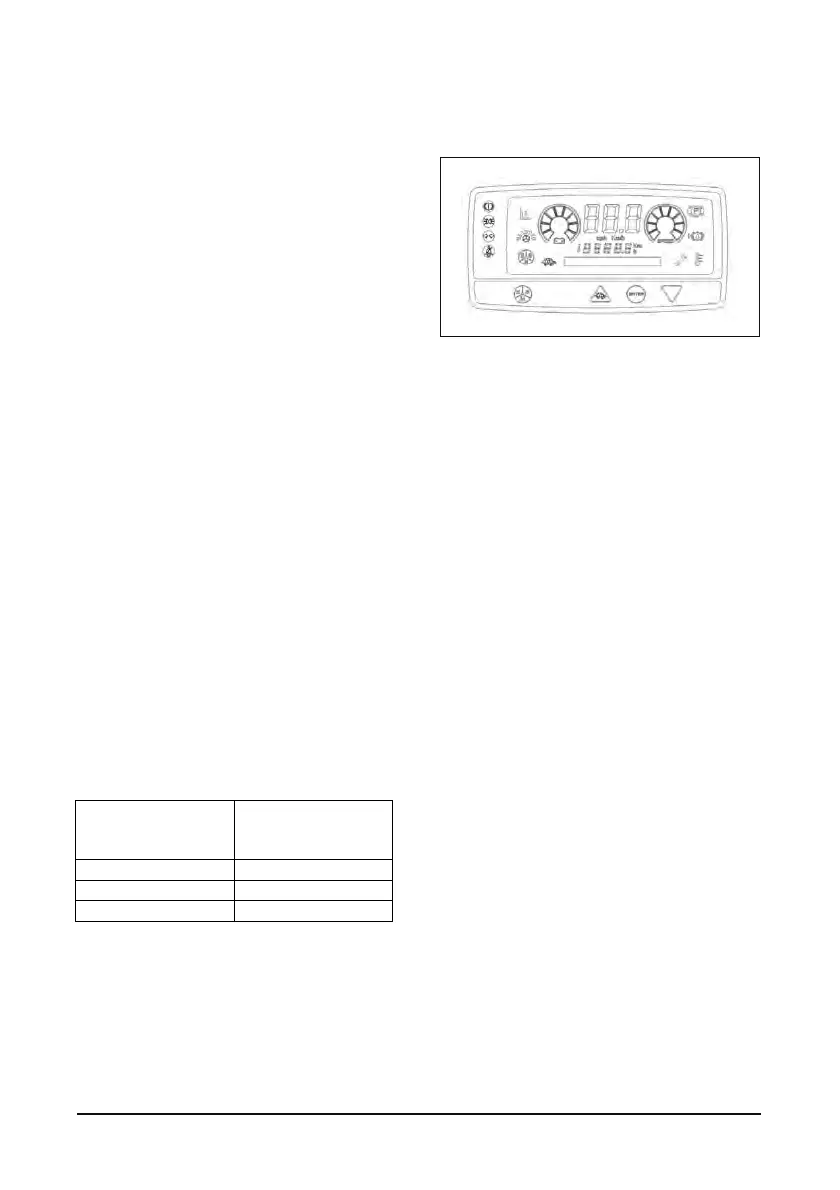
Moreover, ENTER button is used to confirm the
new value of the parameter in calibration procedure
UP Button
1. Pressing of this button, in calibration and
diagnostic mode, you increase the number of
the parameter displayed.
2. In calibration phase, you increase the numeric
value of the parameter displayed.
TURTLE Button
Remember that pressing this button you can toggle
between slow running and normal working condition
(if the lift truck is already in speed limitation mode).
DOWN Button
1. Pressing of this button, in calibration and
diagnostic mode, you decrease the number of
the parameter displayed.
2. In calibration phase, you decrease the numeric
value of the parameter displayed.
3. "3 way of shifting from the visualization of "time
meter" and "odometer": you can do it by
pressing the "DOWN ARROW" button of
Compact display for 1 second in succession
during normal working of the display.”
E-S-H Button
With this button, you can modify the device
operating condition, in a circular sequence, as
described in
Table 7 :
CURRENT WORKING
CONDITION
WORKING
CONDITION AFTER
THE KEY PRESSURE
Economic (E) Standard (S)
Standard (S) High (H)
High (H) Economic (E)
NOTE: You can modify system operating modes
only after enabling their management with
EASYVIEW applicative software
Run Time Diagnostic
This operating mode enables you to test main
analog and digital signals managed by your system.
Enter diagnostic mode if you are switching on your
lift truck:
1. Press ENTER key (for 3 consecutive s) until the
symbol “0” lights up.
2. Press DOWN key to enter diagnostic mode; the
symbol “d” is visualized and it persists until the
first parameter has been selected.
Enter diagnostic mode if you are working as usual
with your lift truck:
1. Press ENTER key (for 3 consecutive s) until
symbol “d” appears; it will persist as long as the
first parameter has been selected.
After diagnostic operation mode has been
enabled, you can choose the parameter you
want to analyse using UP and DOWN keys
(parameter number increases using UP key and
decreases with DOWN key)
Here, in Table 11, you have a list of the
parameters you can analyze with their
respective displaying order : DOWN key).


 To Next Page