7
HM 5000/6300/8000 HM4digitATCE26
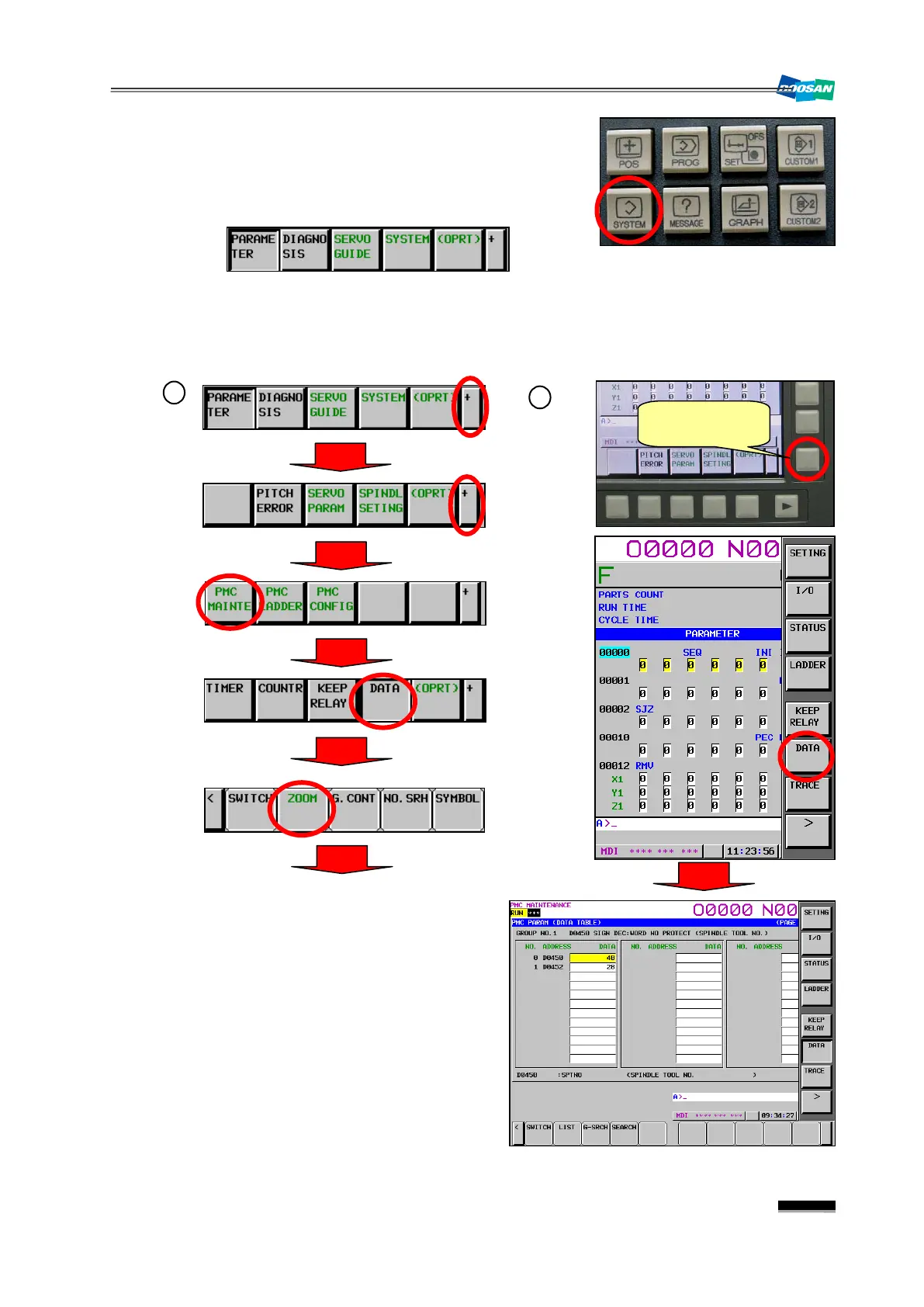
(5) Press the “SYSTEM” key in the right side of the main
OP monitor.
▪ The following options will be displayed in the bottom
soft key bar.
(6) Move to the Keep Relay screen.
①
Press the soft keys one after another to move to the Keep Relay screen.
②
Press the Vertical Soft Key in the right corner and press the [DATA]
key.
7) Use the
“Page↑”
or
“Page↓”
key to turn
over the page until you find the right data
page. Enter a new value in the Data field
and press
“Input”
.
(8) When done, move back to
and turn off
“PARAMETER WRITE”
(“1”
‘0”). Then, press the
release the alarm.
Activate the
Vertical Soft Key


 To Next Page