6
HM 5000/6300/8000 HM4digitATCE26
(Reference) How to correct the data
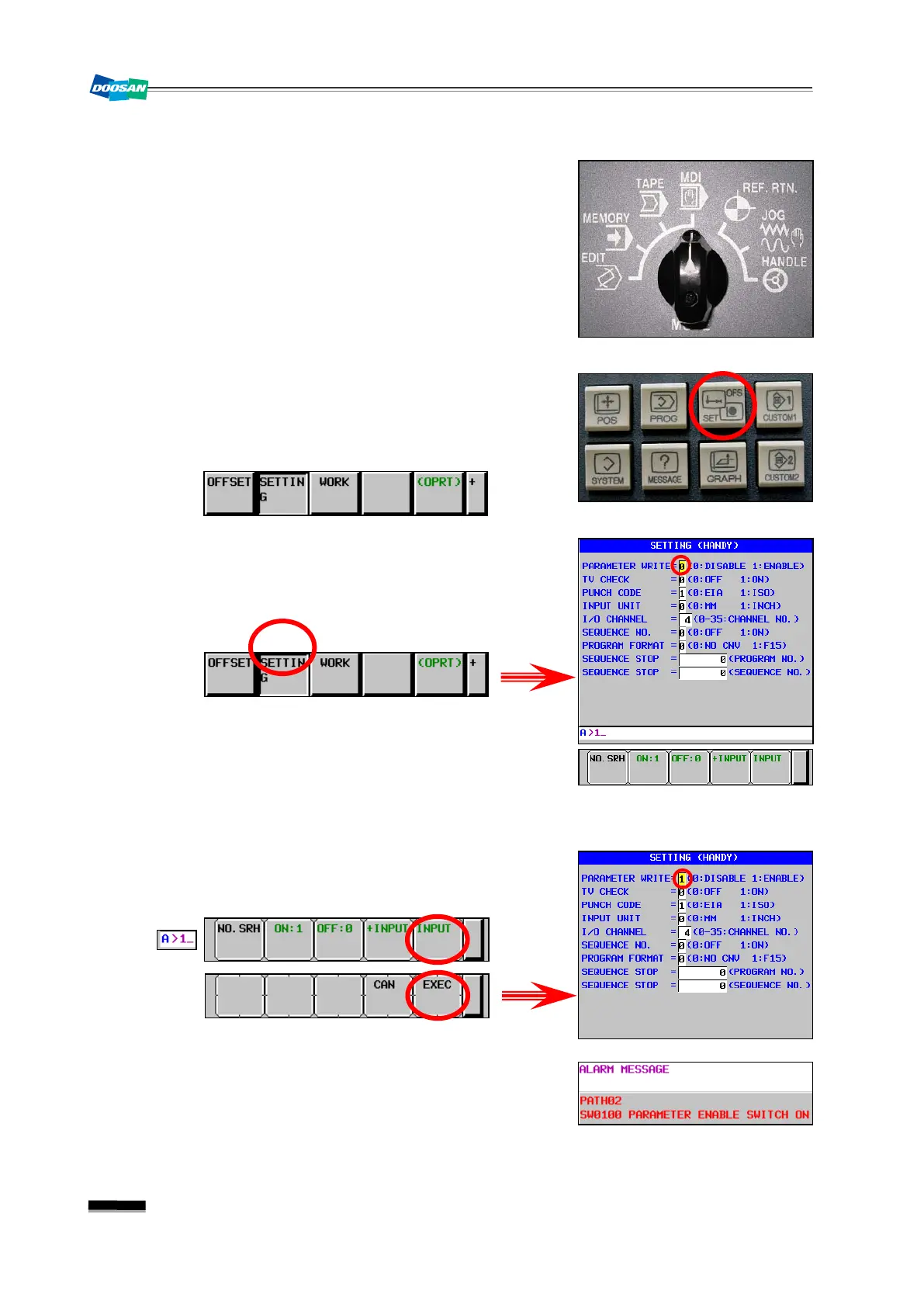
(1) Set the mode switch in the main OP to "MDI".
(2) Press the “OFS/SET” key in the right side of the main
OP monitor.
▪ The following options will be displayed in the bottom
soft key bar.
(3) Press the [SETTING] soft key.
▪ The Setting menu appears where the cursor will be
positioned to “PARAMETER WRITE” on the top.
※
If the screen is not displayed as shown in the right
picture, move to the first page of the Setting
Parameter menu (“0”
“NO.SRH”) and press
the Page Up button three times. Then, you will
see the right screen properly.
(4) Enter the number of "1" and keep pressing the INPUT
and EXEC keys.
★
The “SW0100 Parameter Enable Switch ON”
alarm will occur.


 To Next Page