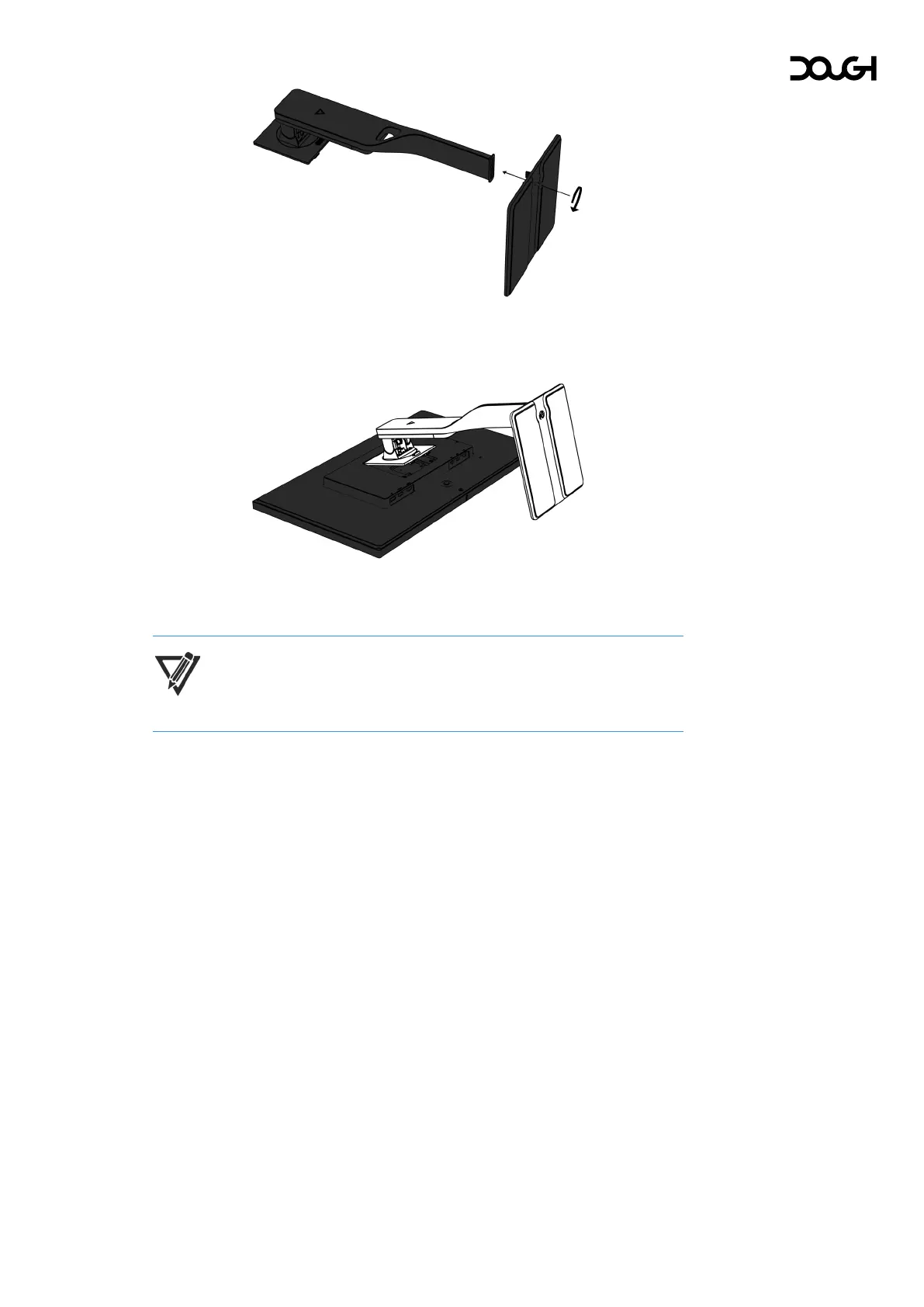
2. Slide the stand’s base into the bottom of the stand arm, and then tighten the
screw on the underside of the base.
3. Insert the top of the stand into the back of the monitor cabinet at an angle, then
press down. The stand will click into place.
NOTE: The Dough Spectrum Stand (model ES07D04) is sold separately.



 To Next Page