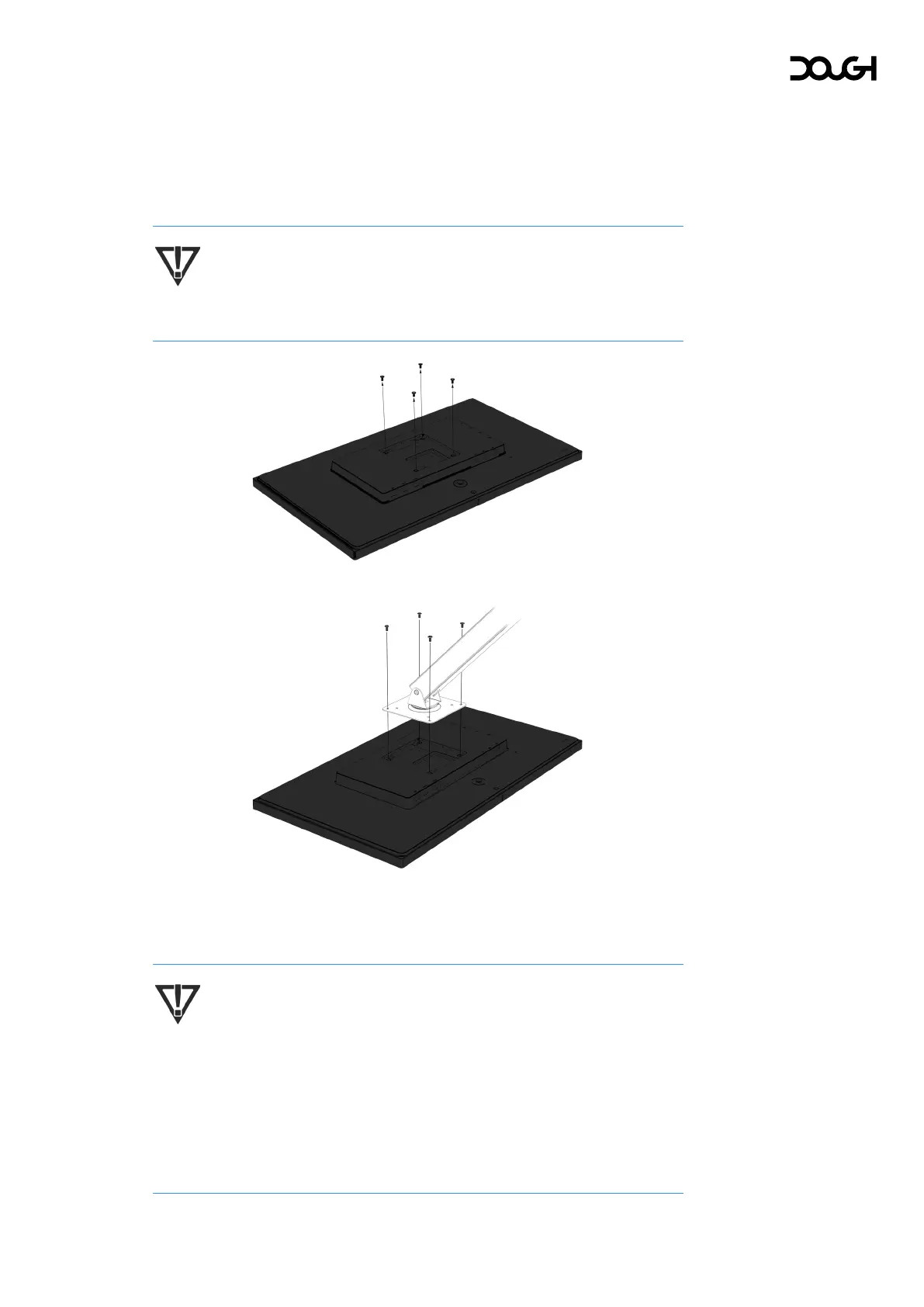
Attaching a VESA mount
Spectrum is compatible with most VESA mounting arms and mounts (sold
separately). The VESA mount must support the 100×100mm VESA Mounting Standard
and should be rated to hold at least 4.7kg of weight.
IMPORTANT: You might need additional tools such as a screwdriver
(purchased separately) when you attach a mounting device.
1. Remove the four mounting screws from the back of the monitor.
2. Align the screw holes on your mounting device with the four VESA screw holes in
the back of the monitor, then insert and tighten the four mounting screws through
the mounting device and into the monitor.
IMPORTANT: If these instructions do not apply to your device, then follow
the mounting device manufacturer’s instructions when mounting the
monitor to a wall or swing arm.
IMPORTANT: Spectrum comes with four M4×10mm screws. To ensure that
your monitor is mounted securely, you may need to use screws of a
different length, that may or may not have been provided with your
mounting device.



 To Next Page