!PLEASE LOOK AT THE LAMINATION PATH! (PAGE 21)
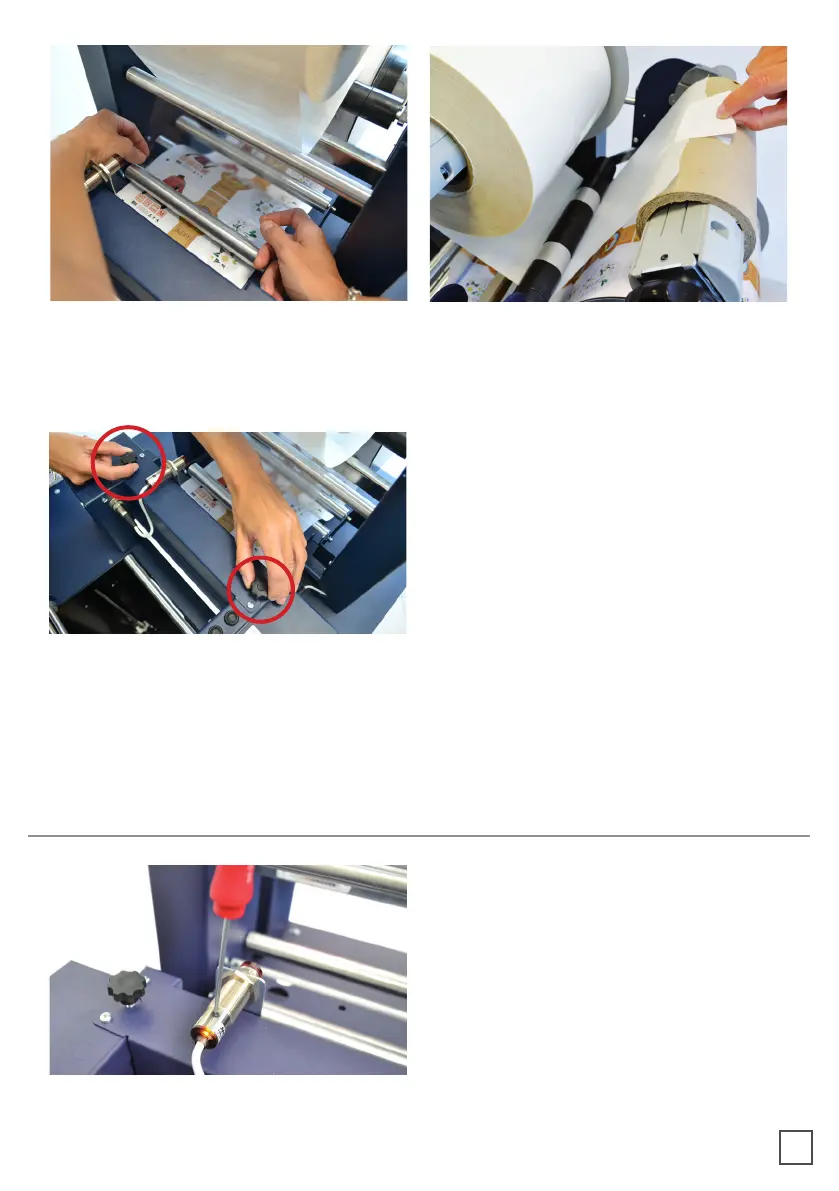
Using the two black knobs located at the
top of the roller assemble to adjust the
pressure of the rollers. This will apply
to the media avoiding any possible air
bubbles.
When the green LED is on, the automatic feeding is activated and operated by the
ultrasonic sensor. When both yellow and green LEDs are on, it indicates the system is in
error mode. The cause is due to the media or laminate roll is not detected or it is run out.
If this is not the cause, please reset the sensor.
Turn the screw on the sensor clockwise
or anticlockwise. This operation has to
be done without lamination in place.
If there is no lamination in place, the
LED will light on.
If there is lamination in place, the LED
HOW TO SET THE LAMINATION SENSOR
8



 To Next Page