1. Go to Panel control.
2. Unistall Scorpio Cutting Manager.
3. Download from the website the new Cutting Manager release and run the installation.
19
HOW TO UPDATE SOFTWARE
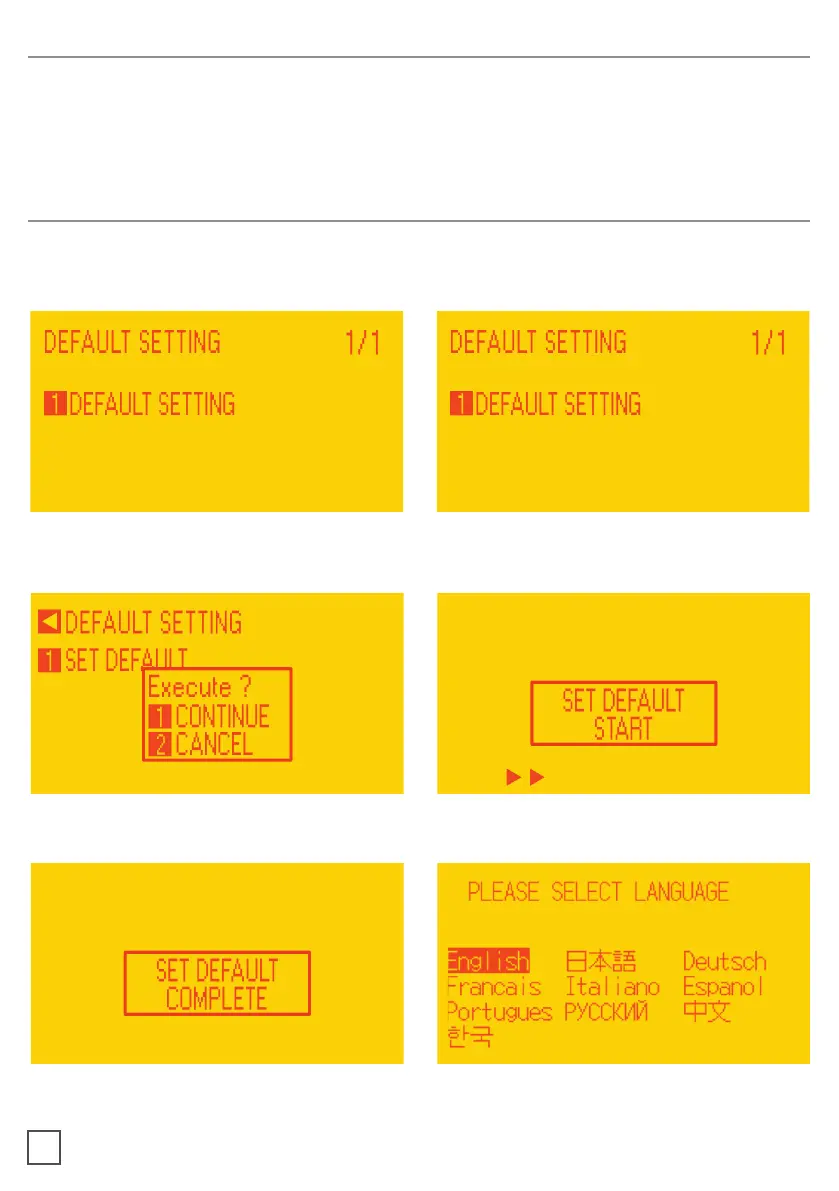
3. When the display shows “DEFAULT
SETTING” press button 1.
4. Press button 1.
HOW TO RESTORE PLOTTER SETTINGS
1.
2. Turn on the plotter while keeping pushed the UP arrow on the panel.
5. Press button 1.
6. In process.
7. When the display shows “SET DEFAULT
8. Turn on the plotter and Choose the
language and press enter.



 To Next Page