20
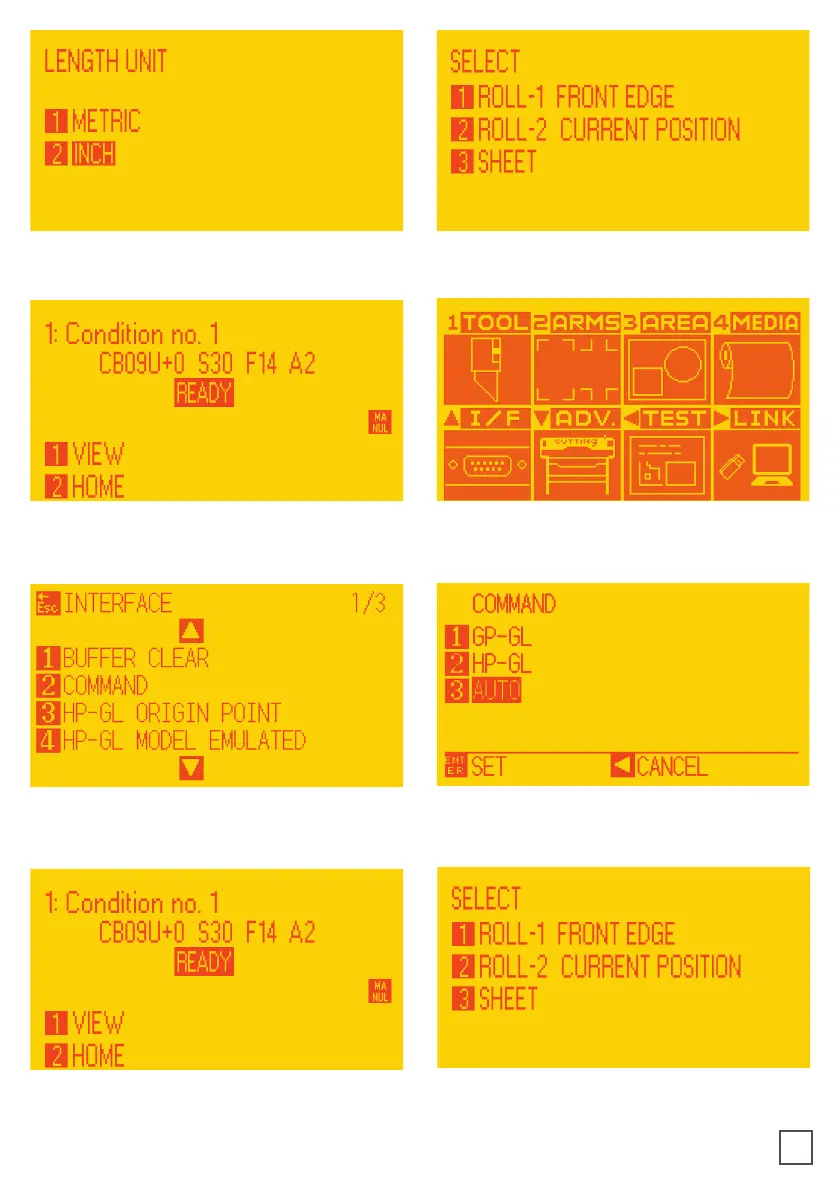
9. Select metric by pressing button 1 and
then enter.
10. Press button 2.
11. Wait until on the display appears
“READY”.
12. Press “PAUSE/MENU” then go to I/F
(press up arrow key).
13. Go to Command (press 2).
14. Select GPGL (press 1 then enter).
16. Restart plotter then press button 2.
15. Press “PAUSE/MENU”.



 To Next Page