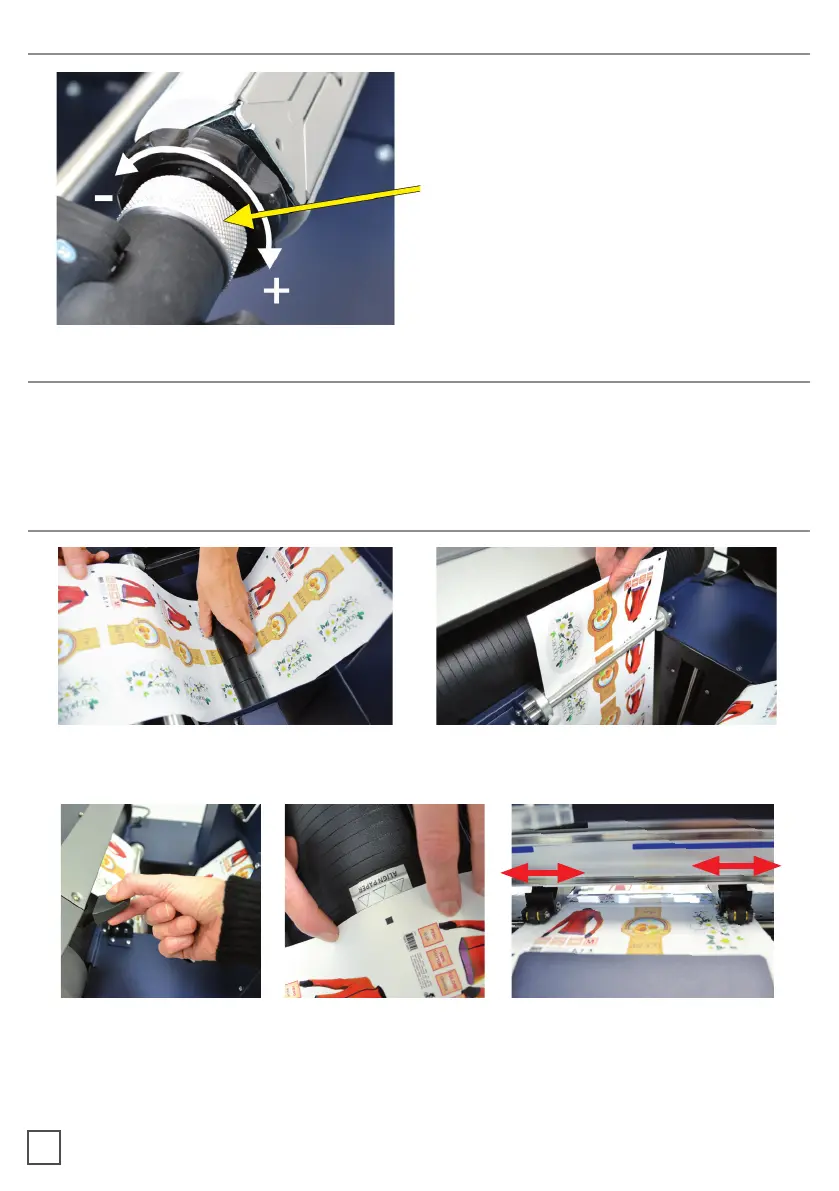
Both core holders are clutched
(unpowered), they are the same and
they work indipendently.
It is possible to adjust the clutch by
screwing or loosing the aluminium
handle.
adjusting. If the tension is too tight the roller system will get damaged or if the tension is
too loose, the media will not be laminated properly.
Pull the laminated media underneath the tension arm, than pass it through the aluminium
rollers, the guide can be adjusted preventing the web from rolling.
Put the lever, located in the rear of the plotter, in the down position.
Pull the media through the plotter and keep the media edge aligned to the alignment
points.
Set both pinch rollers at the media edge.
HOW TO ADJUST THE CLUTCH
WHEN TO ADJUST THE CLUTCH
LOAD THE MEDIA INTO THE PLOTTER
9



 To Next Page