DQ Technologies, Inc., phone: 512.248.8324 - www.dqtech.com
19
*Note:
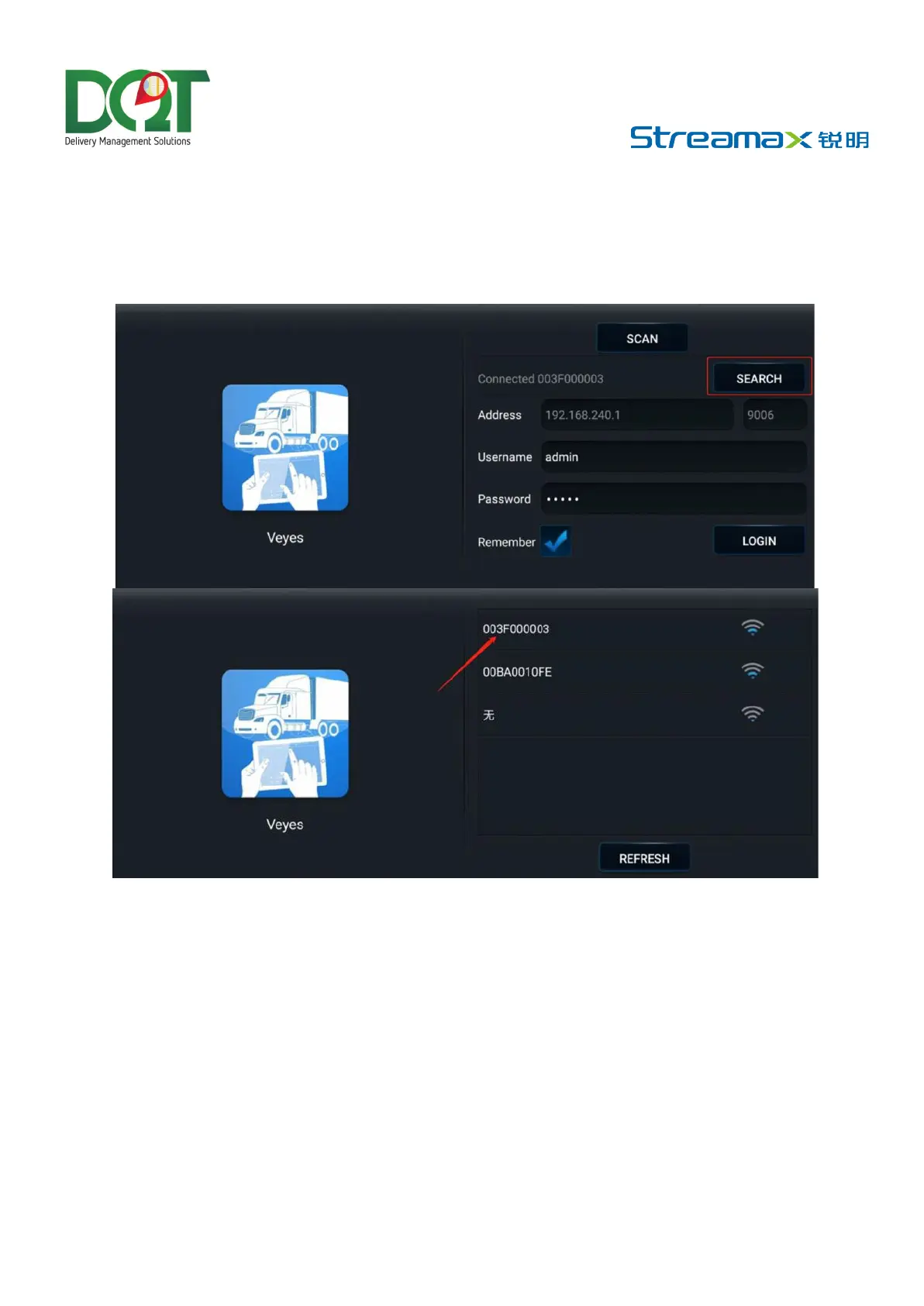
• Within 3 min after startup, the Dashcam will automatically enable the WiFi transmission mode for
debugging and connection with the app. If no connection is established with any app within 3 min,
the Wi-Fi hotspot of the Dashcam will be OFF.
• On the login screen, enter the corresponding username and password. Default username/password:
admin/admin.
Tap LOGIN. The operation screen is displayed.
Installation Parameters Measurement of the ADAS Lens
• Use a tape measure to measure the vertical height (to the nearest cm/inch) from the ground to
the lens for road condition monitoring on the AD Plus2.0. This will be recorded as the ADAS lens
installation height.
• Next, measure the horizontal distance from the AD Plus2.0 lens to the outer edge of the left tire
while standing outside the vehicle and facing the left front. This measurement will be the left
margin of the ADAS lens.



 To Next Page