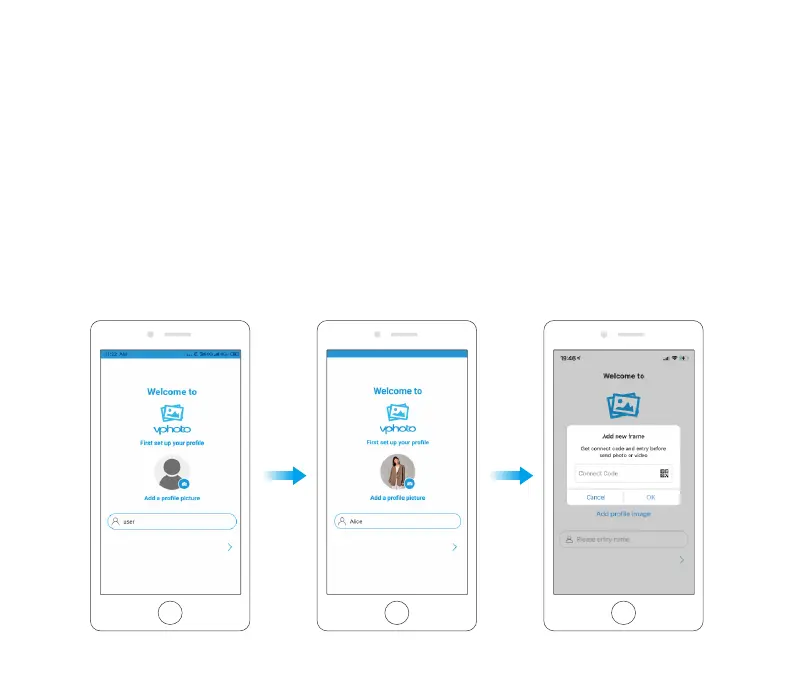
1.3 Pair Your Frame with the App
You will be required to enter the connection code or scan the QR code of your frame. You
can tap the Settings icon to enter your frame's settings screen, and locate “My Frame” to
view the connection code. Once the process is completed, you will see a pop - up message
stating “Bind success”.
Note:
➀ Connection Code is a 9-digit serial number that can be found in your frame.
➁ The Connection code and QR code will refresh every 12 hours.
➂ Before viewing the connection code and QR code, please make sure your frame is
connected to Wifi, otherwise the connection code and QR code will not load out.
08


 To Next Page