UPLOADING TO DRAGONTOUCH FRAMES
2. Upload Photos and Videos Via Email
You and your friends can also send photos and videos to the frame via your Email by following
the two steps below.
(1) Connect Your Email Address to the Frame via Two Methods
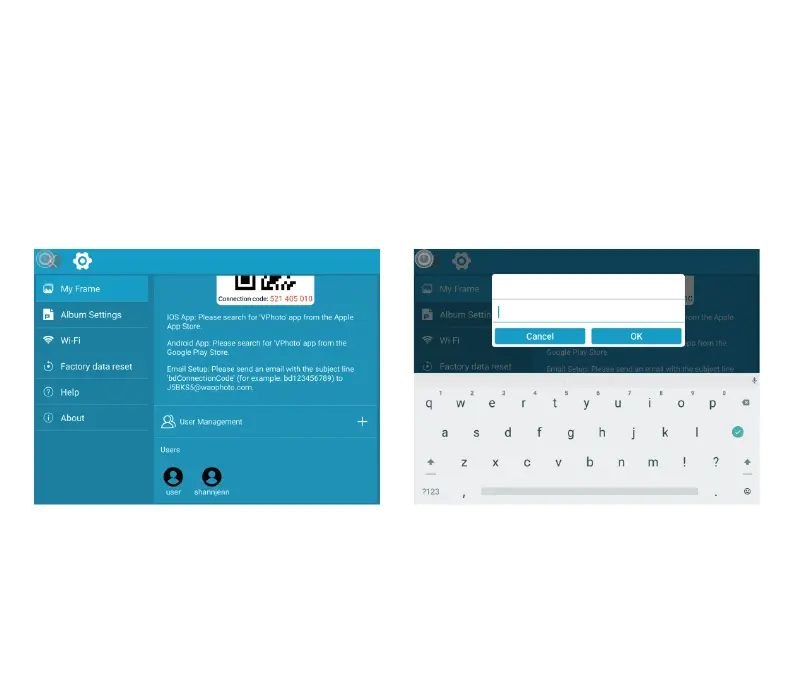
To do this, tap the “+” icon under the User Management setting, then add your email
address. You'll receive an e-mail informing you that your binding request has been completed,
with instructions on how to send photos and videos to the frame.
(2) Upload Photos and Videos to Your Frame
After adding your email address to the frame, you can email photos and videos to the
mailbox of the frame.
Your photos and videos will be received in minutes. You can check them on the frame's
Add Mailbox
13



 To Next Page