11
GETTING STARTED
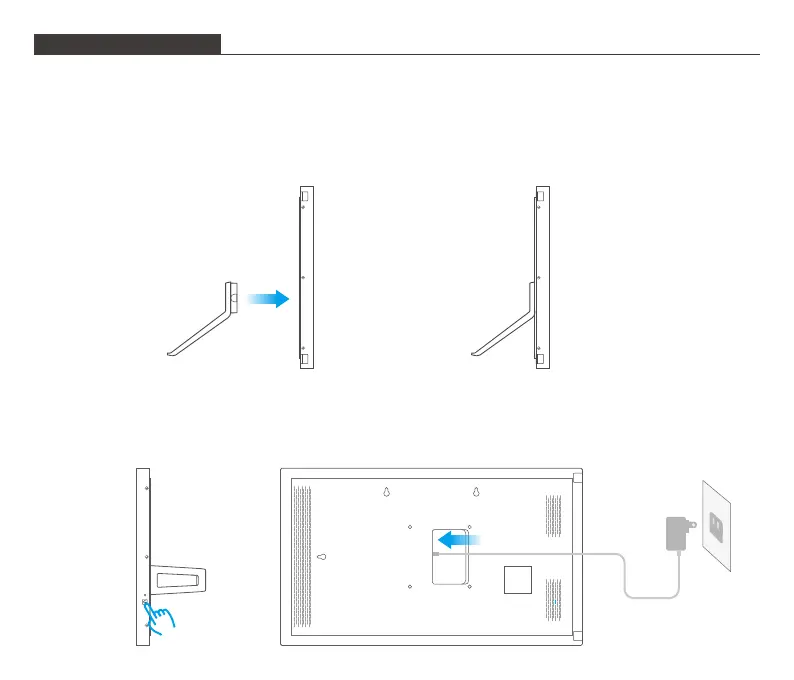
1. Mount Your Photo Frame
To mount your photo frame, simply insert the stand into the stand port on the back of the
frame. You can place the frame either in landscape or portrait (we recommend you place it
in landscape during the first setup). You can also mount the frame on the wall by using the
two expansion bolts.
2. Power on
To power on your photo frame, first connect the power cable to the frame, then plug the
power adapter into the wall socket. The frame will power on in seconds.
04



 To Next Page