12
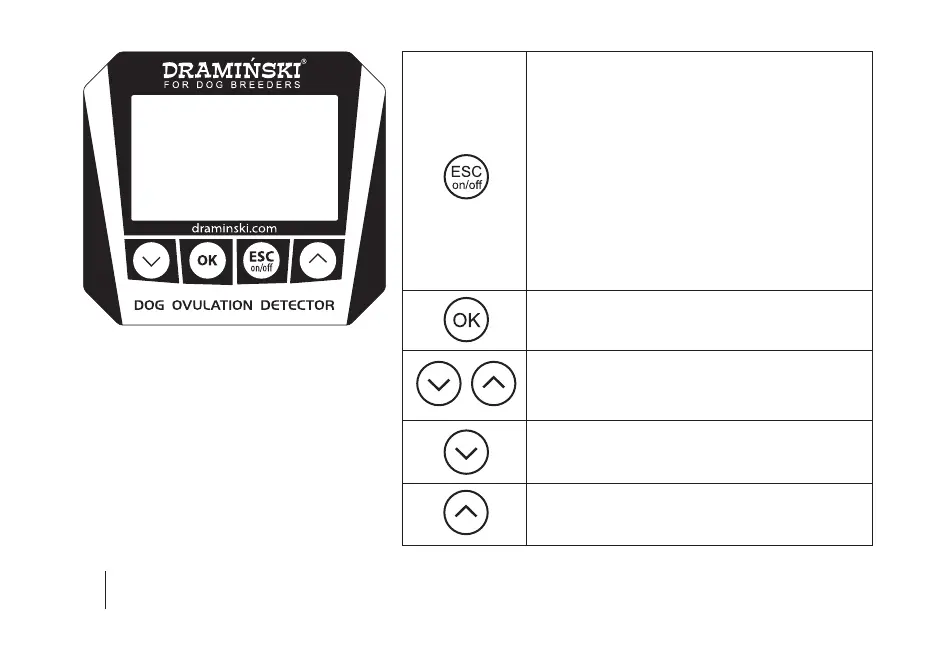
– Turning on the device.
– Turning o the device by holding down
the key for 5 seconds (NOTE! The dog ovulation
detector can also be turned o via the menu
by using the “Turn o!” option, and if not in use,
it will automatically turn o to save batteries).
– Turning on the main menu by holding down
the key for 2 seconds.
– Cancelling program functions.
– Accepting program functions.
– Start of the measurement.
– Navigation through the menu.
– Setting values in menu options.
– Turning on the list of animals stored in
the device’s memory.
– Saving the result with date and time to the
device’s memory.
SECTION 3 | KEYBOARD FUNCTIONS


 To Next Page