43
EN
DOD 01.01.2019
Memory
Available memory
Erasing memory
Delete results
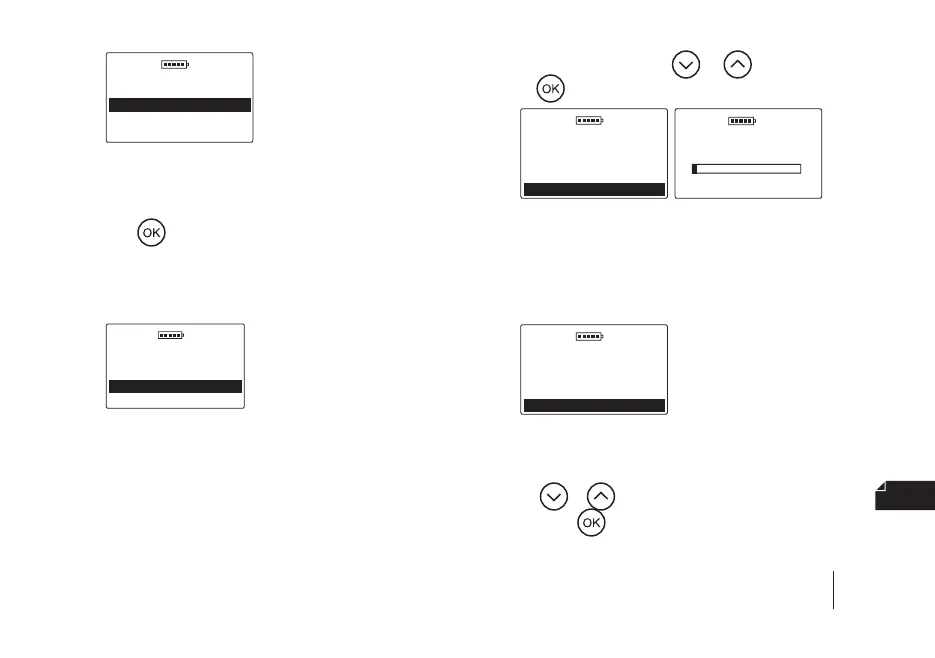
5.4 c) Erasing memory – to erase the entire device mem
-
ory (all results and animals), enter the Main menu /
Settings / Memory / Erasing memory and conrm
with
. Warning! The data will be irretrievably
erased from the device, so if it is relevant, remem
-
ber to rst transfer it to your computer using spe-
cial software.
DOD 01.01.2019
Memory
Available memory
Erasing memory
Delete results
5.5 Power auto o
Adjustment of the time after which the device turns o
automatically counting from the last click/use of the key
-
board. To change the power automatic o time, go to the
Main menu / Settings / Power auto o, then select the
appropriate value using the
or key and conrm
with the
key, e.g.
DOD 01.01.2019
Settings
Display
Memory
Power auto o
DOD 01.01.2019
Power auto o
0
3 min
5.6 Date & time
DOD2 has a real time clock so that the measurement re
-
sults are stored in the memory together with the actual
date and time of performance.
DOD 01.01.2019
Settings
Memory
Power auto o
5.6 a) Set date – to set the current date, go to the Main
menu / Settings / Date & time / Set date, then use
the
or key to select the appropriate value and
press the
key to conrm the year/month/day, e.g.
SECTION 10 | MAIN MENU


 To Next Page