EasyManua.ls Logo

Draper Targa - User Manual

Draper Targa
8 pages
Print Icon
To Next Page IconTo Next Page
Loading...
Overview - Components
CAUTION
Read and understand all warnings
(Page 2)
before beginning installation.
Contents
Overview - Components ............................................................................................... 1
Section 1 - Electrical Connections .............................................................................2
Section 2 - Operation....................................................................................................2
PLEASE READ - Safety Information ............................................................................ 2
Section 3 - Hanging Screen and Methods of Installation ....................................... 3
Section 4 - Limit Adjustments ..................................................................................... 4
Section 5 - Accessing Internal Low-Voltage Control Unit
(LVC-IV)
.........................5
Section 6 - Wiring Diagrams: Standard and Quiet Motor .......................................6
Section 7 - Wiring Diagrams: Motor with Internal Low-Voltage Controller .........7
Section 8 - Dimensions ................................................................................................8
Cable
Exit
Junction Box
(with cover)
Dowel
VIEWING SURFACE
CASE
CASE
VIEWING SURFACE
PERSONNEL
REQUIRED
TOOLS REQUIRED
POWER DRILL
PENCIL
TAPE MEASURE
HARDWARE
(by others)
LEVEL
Draper, Inc. | 411 S. Pearl St. Spiceland, IN 47385
draperinc.com | 765.987.7999 | 800.238.7999
© 2020 All Rights Reserved | FORM: Targa_Inst20
Targa
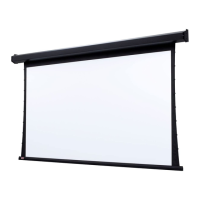
Electrically operated projection screen with motor-in-roller
INSTRUCTIONS
INSTALLATION & OPERATION
If you have any difficulties installing or servicing your
Targa Projection Screen, call your dealer or Draper
®
, Inc.

Other manuals for Draper Targa

Question and Answer IconNeed help?

Do you have a question about the Draper Targa and is the answer not in the manual?

Summary

Overview and Components

Electrical Connections

Screen Operation

Important Safety Information

Before Beginning Installation

Read and understand all safety warnings and initial steps before commencing installation.

Hanging and Installation Methods

Wall Mounting

Instructions for securing the screen directly to a wall using appropriate hardware.

Suspended Mounting

Guidance on suspending the screen using S-hooks and chains from structural supports.

Optional Mounting Brackets

Details on using extension and floating brackets for wall or ceiling installations.

Recessed Installation

Procedures for recessing the screen, including trim kit considerations for drop ceilings.

Limit Adjustments

Standard;Quiet Motor Limits

How to adjust the down and up travel limits for standard and quiet motors.

ILT Motor Limits

Steps to set screen limits for ILT motors using the wall switch programming.

Accessing the LVC-IV Unit

Wiring Diagrams: Standard & Quiet Motor

Wiring Diagrams: ILT Motor

Product Dimensions

Summary

Overview and Components

Electrical Connections

Screen Operation

Important Safety Information

Before Beginning Installation

Read and understand all safety warnings and initial steps before commencing installation.

Hanging and Installation Methods

Wall Mounting

Instructions for securing the screen directly to a wall using appropriate hardware.

Suspended Mounting

Guidance on suspending the screen using S-hooks and chains from structural supports.

Optional Mounting Brackets

Details on using extension and floating brackets for wall or ceiling installations.

Recessed Installation

Procedures for recessing the screen, including trim kit considerations for drop ceilings.

Limit Adjustments

Standard;Quiet Motor Limits

How to adjust the down and up travel limits for standard and quiet motors.

ILT Motor Limits

Steps to set screen limits for ILT motors using the wall switch programming.

Accessing the LVC-IV Unit

Wiring Diagrams: Standard & Quiet Motor

Wiring Diagrams: ILT Motor

Product Dimensions

Overview

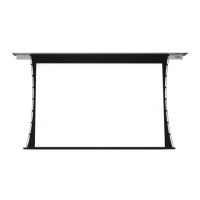
The Targa is an electrically operated projection screen featuring a motor-in-roller design, intended for both residential and commercial applications. It is designed for easy installation and operation, with various control options and safety features to ensure reliable performance.

Function Description

The Targa projection screen provides a retractable viewing surface for projectors, allowing users to deploy or retract the screen with the push of a button or through integrated control systems. The motor-in-roller design ensures smooth and quiet operation, while the robust construction is built for durability. The screen operates on a standard 110-120V, 60 Hz electrical supply, with a low current draw of 1.1 Amps and a duty cycle of 28 seconds on, 4 minutes off.

Usage Features

The Targa offers a variety of usage features and control options to suit different installation needs:

  • Control Options:

    • 110-120V Single Station Control: This standard configuration uses a 3-position UP-OFF-DOWN switch, allowing the screen to be stopped at any desired point. Factory-adjusted limit switches automatically stop the screen at its fully up and fully down positions.
    • 24V Control (Optional): Requires an optional Low-Voltage Control Unit (LVC-IV) and uses 3-button UP-STOP-DOWN switches. This allows for stopping the screen at any point and operating in any sequence. Limit switches are factory-adjusted for automatic stops at full up/down positions. This option is compatible with RF or IR remotes and requires an all-pole disconnect in fixed wiring.
    • RS232/ETHERNET: For advanced integration, serial communication and network communication options are available, allowing the screen to be controlled as part of a larger automation system.
    • Plug & Play: This option includes a 3-button wall switch and a 10' (3m) cord, eliminating the need for hard wiring. It offers the same 3-position control and automatic limit stops as the single station control.
    • Key Operated Switching (Optional): Two types of key-operated switches are available:
      • A key-operated power supply switch controls power to the screen and its switches. When "off," the screen cannot be operated. The key can be removed in either "on" or "off" positions.
      • A three-position key switch allows direct operation of the screen by key, requiring the operator to have the key.
  • Limit Adjustments: The screen's upper and lower limits are factory set but can be fine-tuned for specific installation requirements.

    • Standard Motors/Quiet Motors: Adjustments are made using a 5/32" (4 mm) hex key.
      • "Down" Limit Adjustment: Turning the DOWN limit screw clockwise decreases down travel, while turning it counterclockwise increases down travel.
      • "Up" Limit Adjustment: Turning the UP limit screw clockwise prevents the screen from raising too high, while turning it counterclockwise allows it to raise higher.
      • For Quiet Motors, a WHITE screw controls the UP limit and a RED screw controls the DOWN limit.
    • ILT Motors with Internal Low-Voltage Control: Limits are set using a wall switch.
      • The slide switch is moved to the "lower" position, and the DOWN button is held to set the desired lower limit.
      • If the screen moves in the opposite direction, the DOWN button is released, and the STOP button is held for 4 seconds to reverse UP and DOWN switch operations.
      • The slide switch is then moved to the "center" position for normal operation.
      • To set the upper limit, the slide switch is moved to the "higher" position, and the UP button is held.
      • An alternate format position can be set by moving the screen to the desired position and holding the STOP button for at least 3 seconds.
      • Note: 5V DC must be connected to set limits using the wall switch.
  • Internal Low-Voltage Control Unit (LVC-IV): This optional unit is integrated into the screen housing and provides advanced control capabilities. It can be accessed by removing two star head screws from the motor end of the screen housing and then removing the access panel. The LVC-IV allows for single or multiple projection screen wiring and supports various inputs like 3-button wall switches, RS232/485, IR eye input, and low-voltage triggers. Up to six LVC-IV modules can be linked together for multi-screen installations.

Maintenance Features

The Targa is designed for ease of maintenance and troubleshooting:

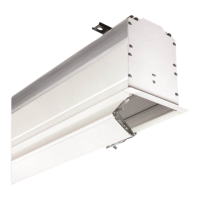
  • Junction Box: The junction box is conveniently located inside the left endcap (from the audience side) and secured by a cover plate with two screws. It contains red, black, and white pigtail leads, and a green internal ground wire, facilitating electrical connections and troubleshooting.
  • Access to LVC-IV: The internal LVC-IV unit is accessible by removing the access panel at the motor end of the screen housing, simplifying any necessary adjustments or repairs to the control unit.
  • Wiring Diagrams: Comprehensive wiring diagrams are provided for standard motors, quiet motors, and motors with internal or external low-voltage controllers, aiding in correct installation and troubleshooting of electrical connections.
  • Troubleshooting Support: In case of installation or servicing difficulties, users are encouraged to contact their dealer or Draper®, Inc. for assistance.

Safety Information

The manual emphasizes several critical safety guidelines for installation and operation:

  • Professional Installation: Installation and calibration should only be performed by authorized, qualified, and experienced professionals, especially for electrical work.
  • Structural Integrity: The unit must be affixed to walls or ceilings with adequate strength to permanently hold its weight and stress loads. The installer is responsible for confirming the structural integrity and using appropriate fasteners.
  • Level Installation: All hardware must be installed level, and the unit itself must be level and square.
  • Power Disconnection: Always turn off power and disconnect any nearby equipment or cables carrying electricity before connecting switches, wires, controls, or electrical components.
  • No Parallel Wiring: Motors should not be wired in parallel without written permission from Draper, Inc.
  • Supervised Operation: Never leave the area while operating the unit during installation, maintenance, or normal operation unless it is secure and safe. Carefully inspect the area for persons or objects before testing or operation.
  • Testing: After installation, the entire system, including all sensors, should be carefully tested to ensure safe and normal operation. Extreme care should be taken to remain clear of moving parts during testing.
  • Authorized Personnel: Operation of the unit should only be performed by authorized and qualified personnel trained in its safe and effective operation.
  • Safety Features: Safety features should never be disabled, bypassed, or overridden. The system should not be operated until all safety features are properly and completely installed, calibrated, and tested.
  • Compliance: The unit may need to comply with local, state, or district rules and regulations, especially when installed in schools. All applicable rules and regulations should be reviewed before installation and use.
  • Warranty: Failure to precisely follow installation guidelines invalidates all warranties.
  • Dowel Protection: Do not allow the dowel to wrap over the roller when operating the screen, as this could damage the screen.
  • Connection Types: When connecting the motor with an internal low-voltage controller, only one connection type (Dry Contact or Data Cable) per motor should be used.

Draper Targa Specifications

General IconGeneral
Diagonal106 \
Drive typeMotorized
Tensioned screenNo
Diagonal (metric)269.24 cm
Native aspect ratio16:9
Viewable screen width (W)2336.8 mm
Viewable screen height (H)1320.8 mm
Overall screen size (Height x Width)162.56 x 243.84 cm
Mounting typeCeiling
Product colorWhite
Easy to installYes
Quantity per pack1 pc(s)
Input voltage220 V

Related product manuals