VigorN65 User’s Guide
30
3
3
.
.
1
1
.
.
2
2
U
U
s
s
i
i
n
n
g
g
W
W
i
i
n
n
d
d
o
o
w
w
s
s
Z
Z
e
e
r
r
o
o
C
C
o
o
n
n
f
f
i
i
g
g
u
u
r
r
a
a
t
t
i
i
o
o
n
n
Windows XP and Vista has a built-in wireless network configuration utility, called as
Windows Zero Configuration (WZC). You can also use WZC to configure your wireless
network parameter:
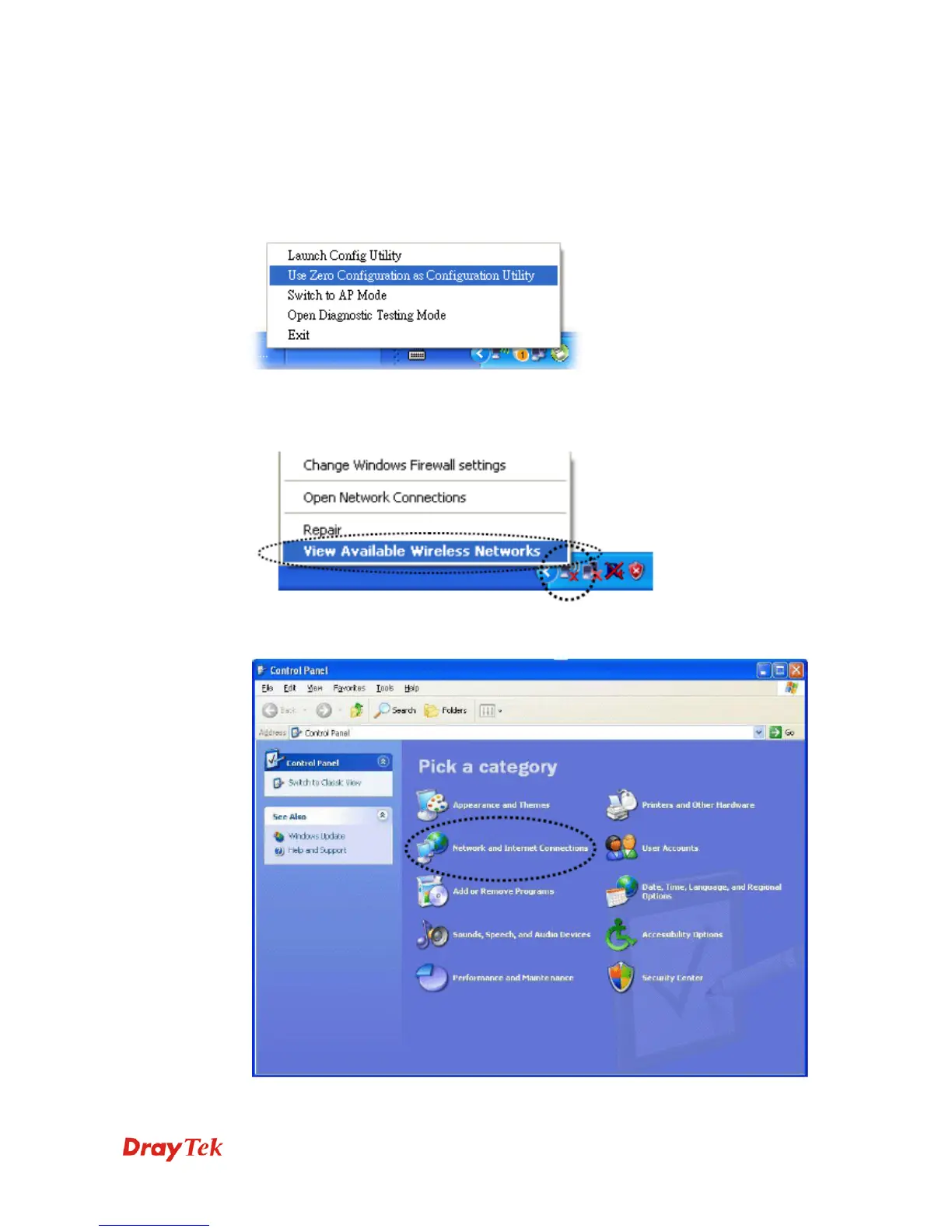
1. Right click VigorN65 configuration utility icon and select Use Zero Configuration.
2. Right click Windows Zero Configuration icon and select View Available Wireless
Networks. If you can not find the icon, please follow the procedures from step 3 to step
5.
3. Click Start button (should be located at the bottom-left corner of windows desktop),
click Control Panel, then click Network and Internet Connections in Control Panel.



 To Next Page