VigorN65 User’s Guide
45
Diagnose Hit the button to perform the diagnosis.
Information of
Selected Profile
Contain the information listed in the profile such as profile name,
SSID, capability of diagnosis and so on.
Apply Make the settings effective.
3
3
.
.
9
9
R
R
a
a
d
d
i
i
o
o
O
O
n
n
/
/
O
O
f
f
f
f
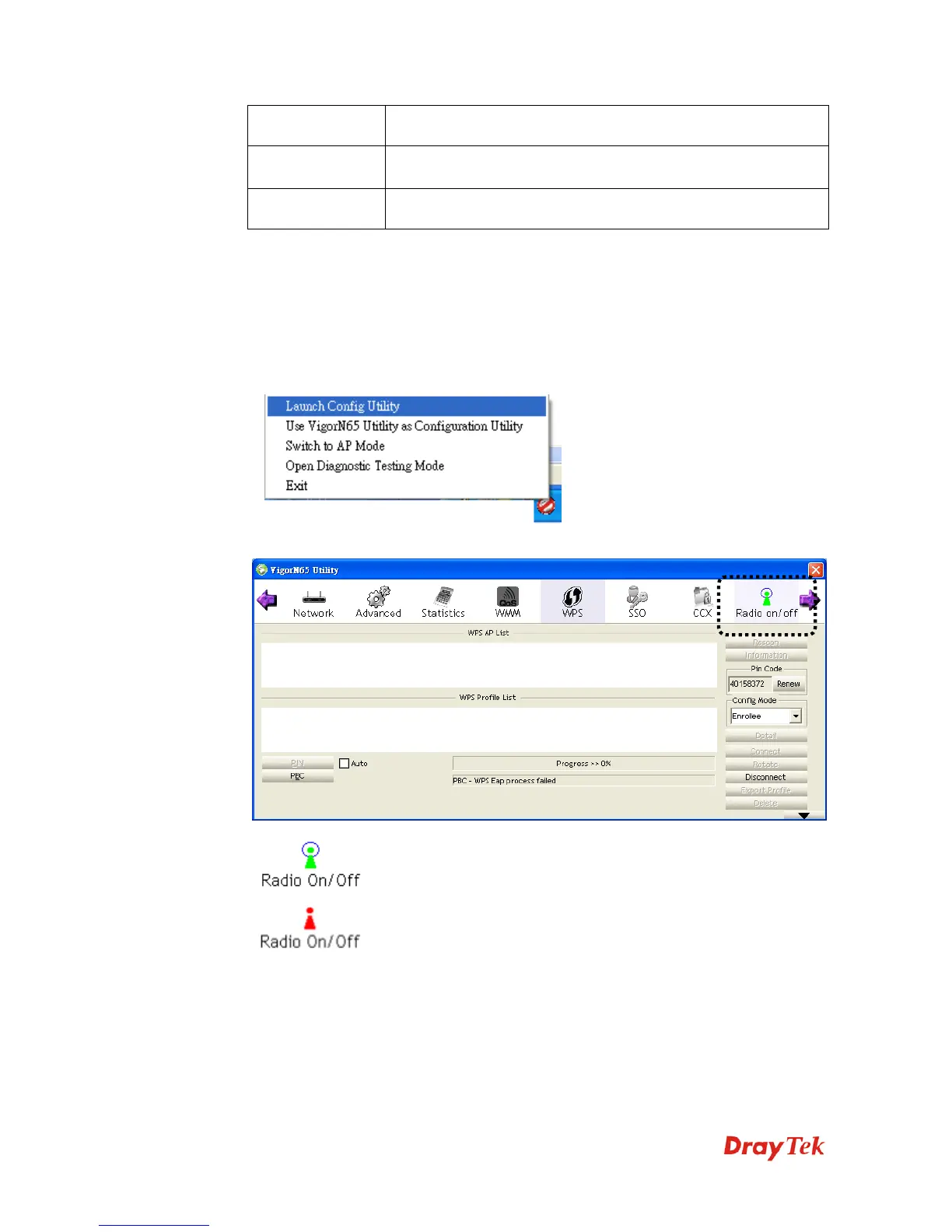
You can switch the wireless radio transceiver on and off by the utility, so if you want to
disable wireless network function, you don’t have to remove the network card physically.
1. Right-click VigorN65 configuration utility icon located at lower-right corner of computer
desktop and then click Launch Config Utility.
2. To switch wireless radio on/off, please click Radio On/Off button.
Wireless radio is on (Green)
Wireless radio is off (Red)



 To Next Page