Vigor130 Series User’s Guide
128
name. The default setting is public.
Notification Host IP - Set the IPv4 address of the host that
will receive the trap community.
Trap Timeout - The default setting is 10 seconds.
TLS/SSL Encryption
Setup
Enable SSL 3.0/1.0/1.1/1.2 – Check the box to enable SSL
3.0/1.0/1.1/1.2 encryption protocols.
For improved security, the HTTPS and SSL VPN servers
that are built into the router have been upgraded to TLS 1.x
protocol. If you are using an old web browser (eg. IE 6.0) or
an old version of the SmartVPN Client, you may need to
enable SSL 3.0 to connect to the router. However, it is
recommended that you instead upgrade your web browser
or SmartVPN client to a version that supports TLS
protocols that are far more secure than SSL.
Device Management
Check the box to enable the device management function
for Vigor130.
Respond to external device – If it is enabled, Vigor130
will be regarded as slave device. When the external device
(master device) sends request packet to Vigor130, Vigor130
would send back information to respond the request coming
from the external device which is able to manage Vigor130.
Broadcast DSL status to router in LAN – Clients in LAN
can get current DSL connection status if such function is
enabled.
After finished the above settings, click OK to save the configuration.
F
F
o
o
r
r
I
I
P
P
v
v
6
6
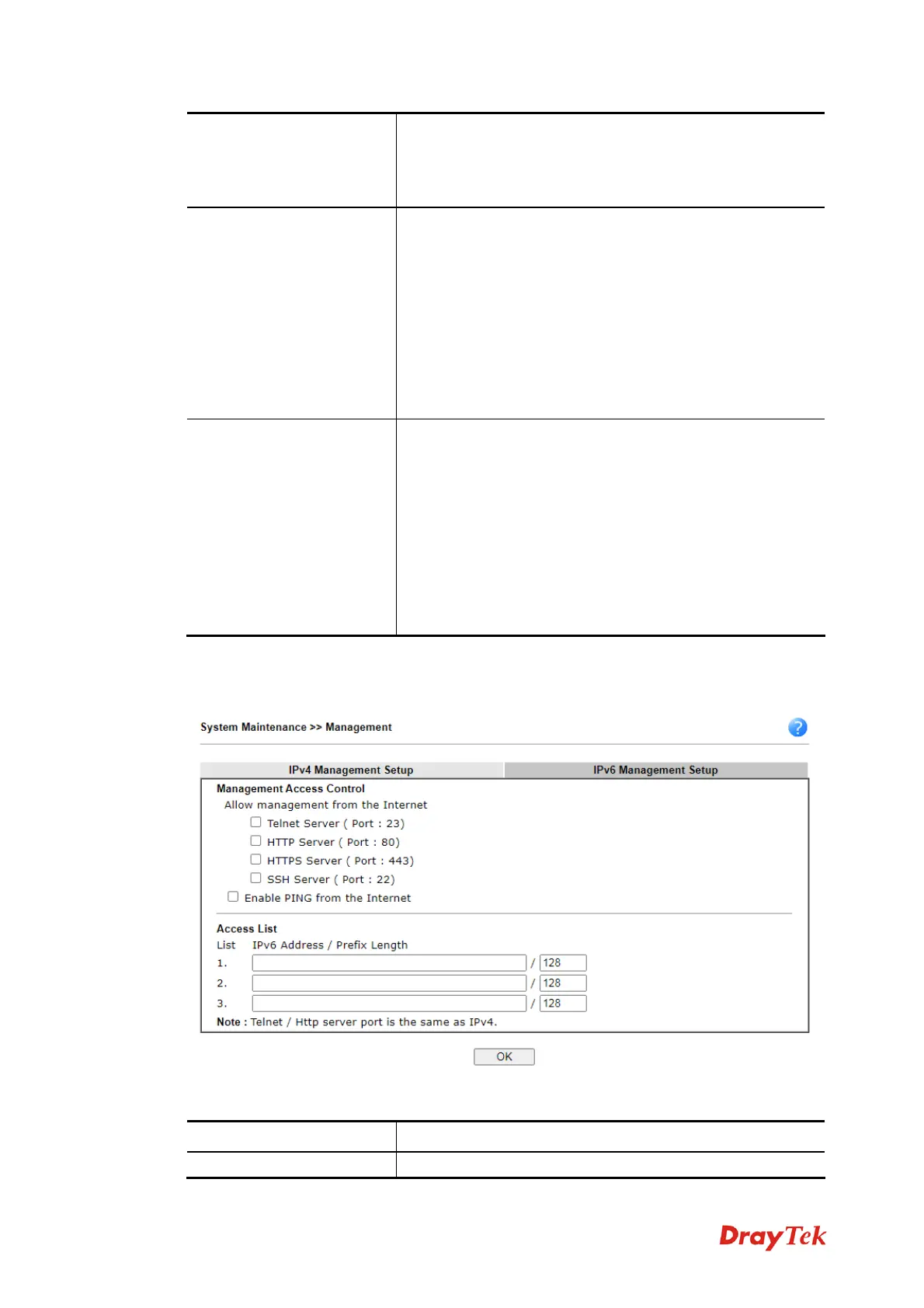
Available settings are explained as follows:
Item Description
Management Access
Allow management from the Internet -Enable the


 To Next Page