Vigor130 Series User’s Guide
131
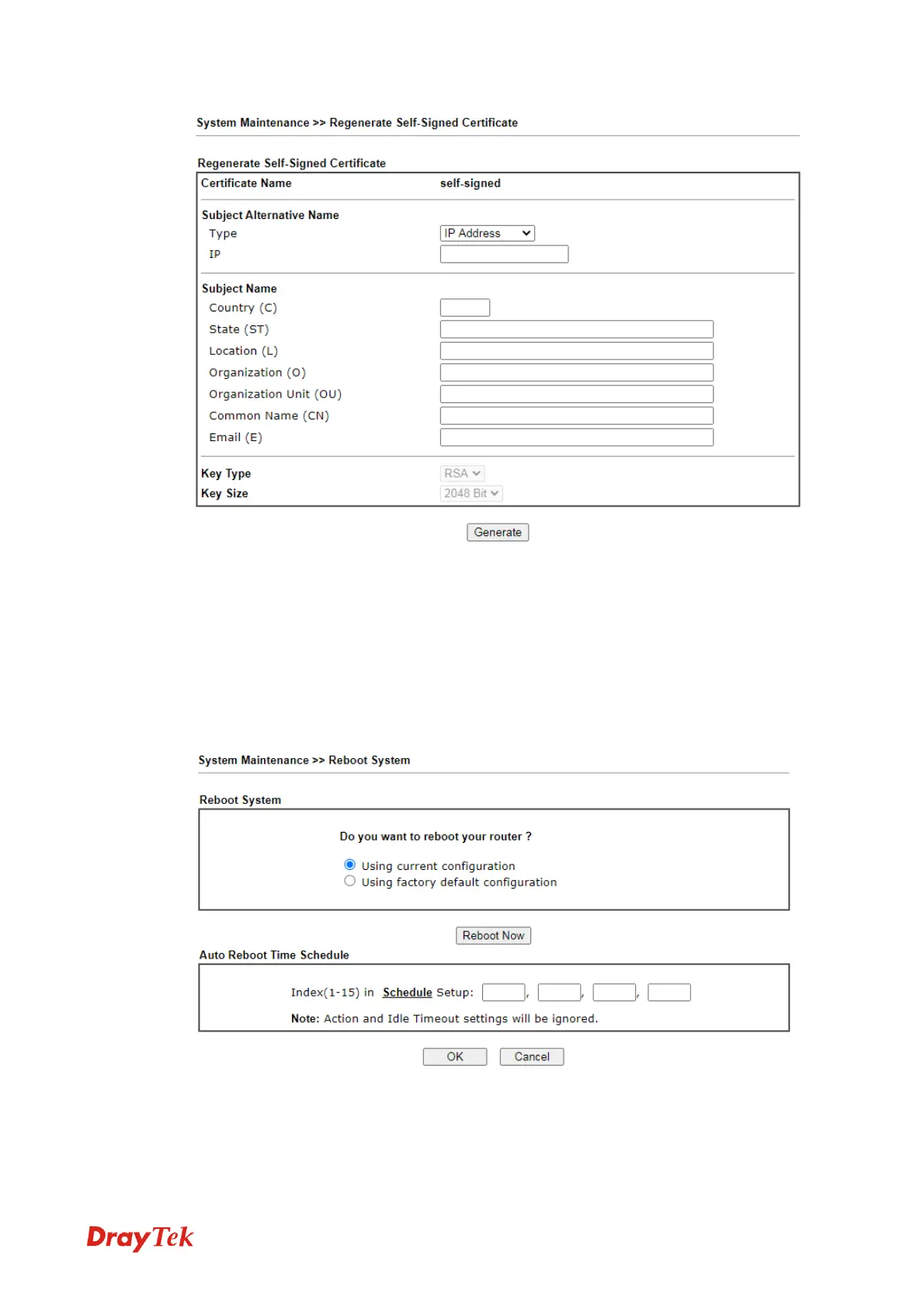
Enter all requested information including certificate name (used to differentiate different
certificates), subject alternative name type and relational settings for subject name. Then
click GENERATE.
3
3
.
.
8
8
.
.
9
9
R
R
e
e
b
b
o
o
o
o
t
t
S
S
y
y
s
s
t
t
e
e
m
m
The Web User Interface may be used to restart your modem. Click Reboot System from
System Maintenance to open the following page.
Index (1-15) in Schedule Setup - You can type in four sets of time schedule for performing
system reboot. All the schedules can be set previously in Applications >> Schedule web
page and you can use the number that you have set in that web page.



 To Next Page