Vigor130 Series User’s Guide
43
3
3
.
.
1
1
.
.
6
6
M
M
u
u
l
l
t
t
i
i
-
-
P
P
V
V
C
C
/
/
V
V
L
L
A
A
N
N
Multi-PVC/VLAN allows users to create profiles for specific WAN interface and bridge
connections for user applications that require very high network throughput. Simply go to
WAN and select Multi-PVC/VLAN.
G
G
e
e
n
n
e
e
r
r
a
a
l
l
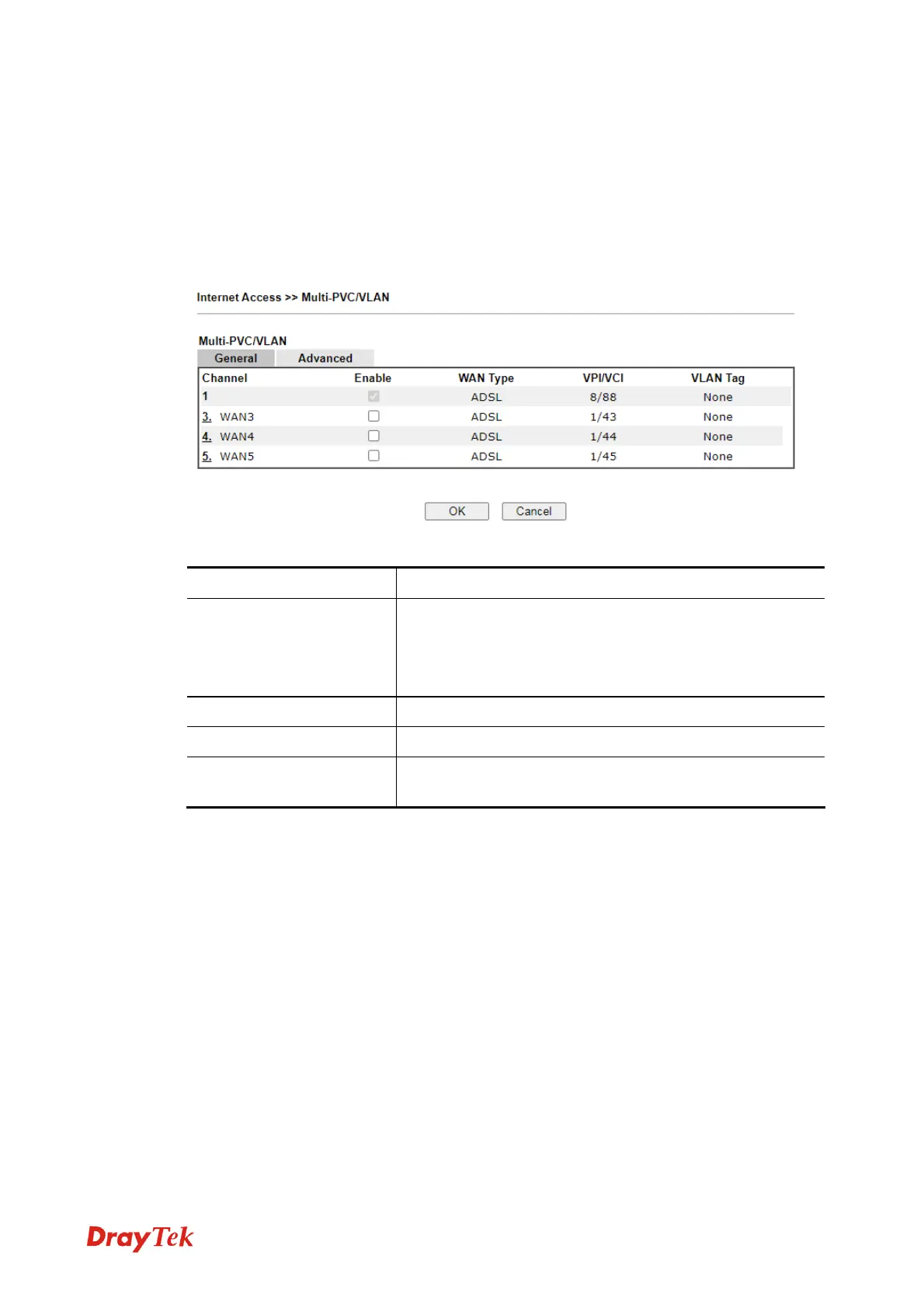
This page shows the basic configurations used by every channel.
Available settings are explained as follows:
Item Description
Channel
Display the number of each channel.
Channels 1 and 2 are used by the Internet Access web user
interface and can not be configured here.
Channels 3 ~ 8 are configurable.
Enable
Enable or disable the settings for this channel.
WAN Type
Displays the physical medium that the channel will use.
VLAN Tag
Displays the VLAN tag value that will be used for the
packets traveling on this channel.
Click any index (3, 4 and 5) to get the following web page:



 To Next Page