Vigor130 Series User’s Guide
44
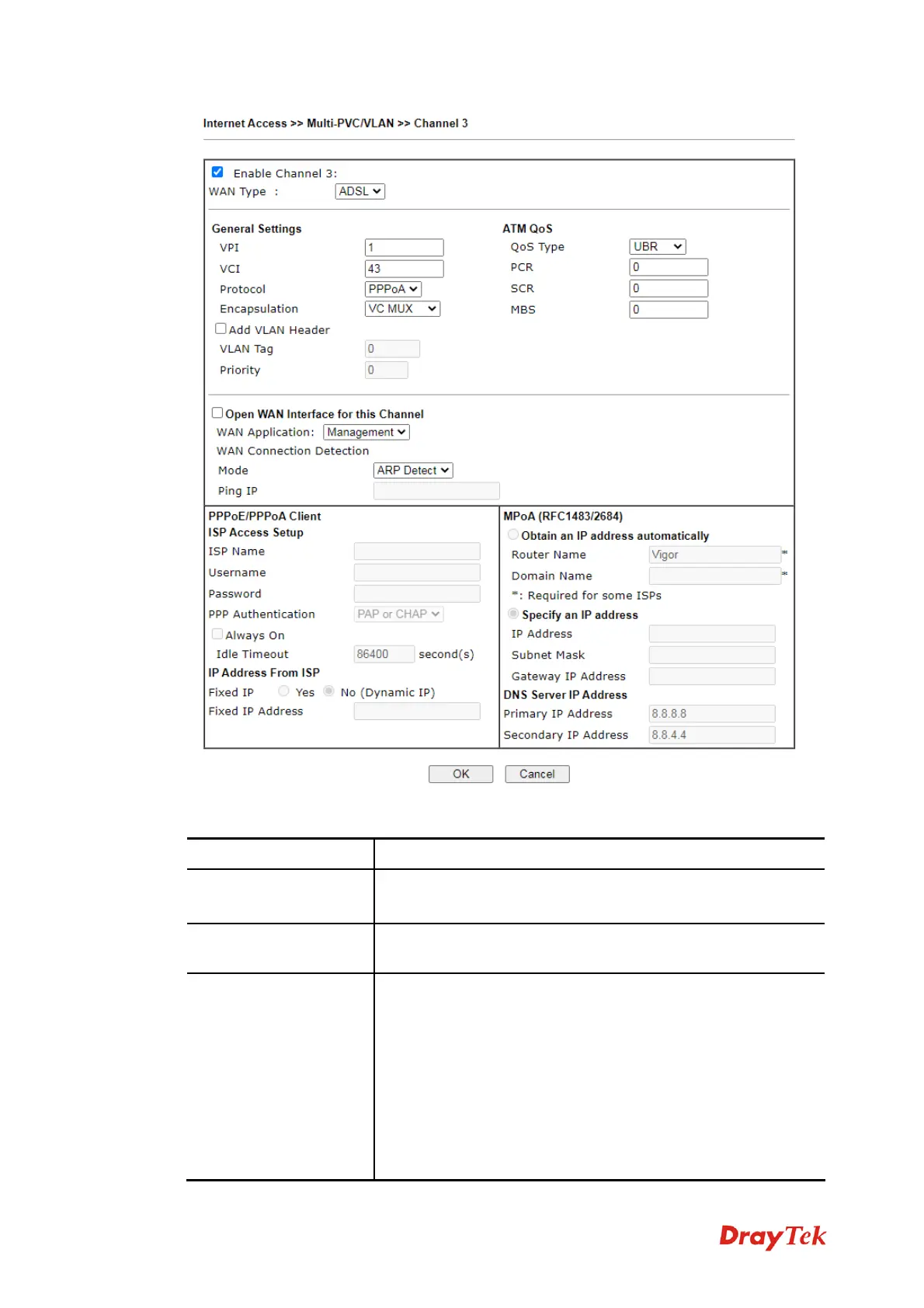
Available settings are explained as follows:
Item Description
Multi-PVC/VLAN
Channel 3/4/5
Enable – Click it to enable the configuration of this channel.
Disable –Click it to disable the configuration of this channel.
WAN Type
The connections and interfaces created in every channel may
select a specific WAN type to be built upon.
General Setting
VPI - Type in the value provided by your ISP.
VCI - Type in the value provided by your ISP.
Protocol - Select a proper protocol for this channel.
Encapsulation - Choose a proper type for this channel. The
types will be different according to the protocol setting that
you choose.
Add VLAN Header – Check the box to enable VLAN tag
configuration.
VLAN Tag – Type the value as the VLAN ID number. Valid



 To Next Page