Vigor130 Series User’s Guide
73
3
3
.
.
4
4
.
.
2
2
G
G
e
e
n
n
e
e
r
r
a
a
l
l
S
S
e
e
t
t
u
u
p
p
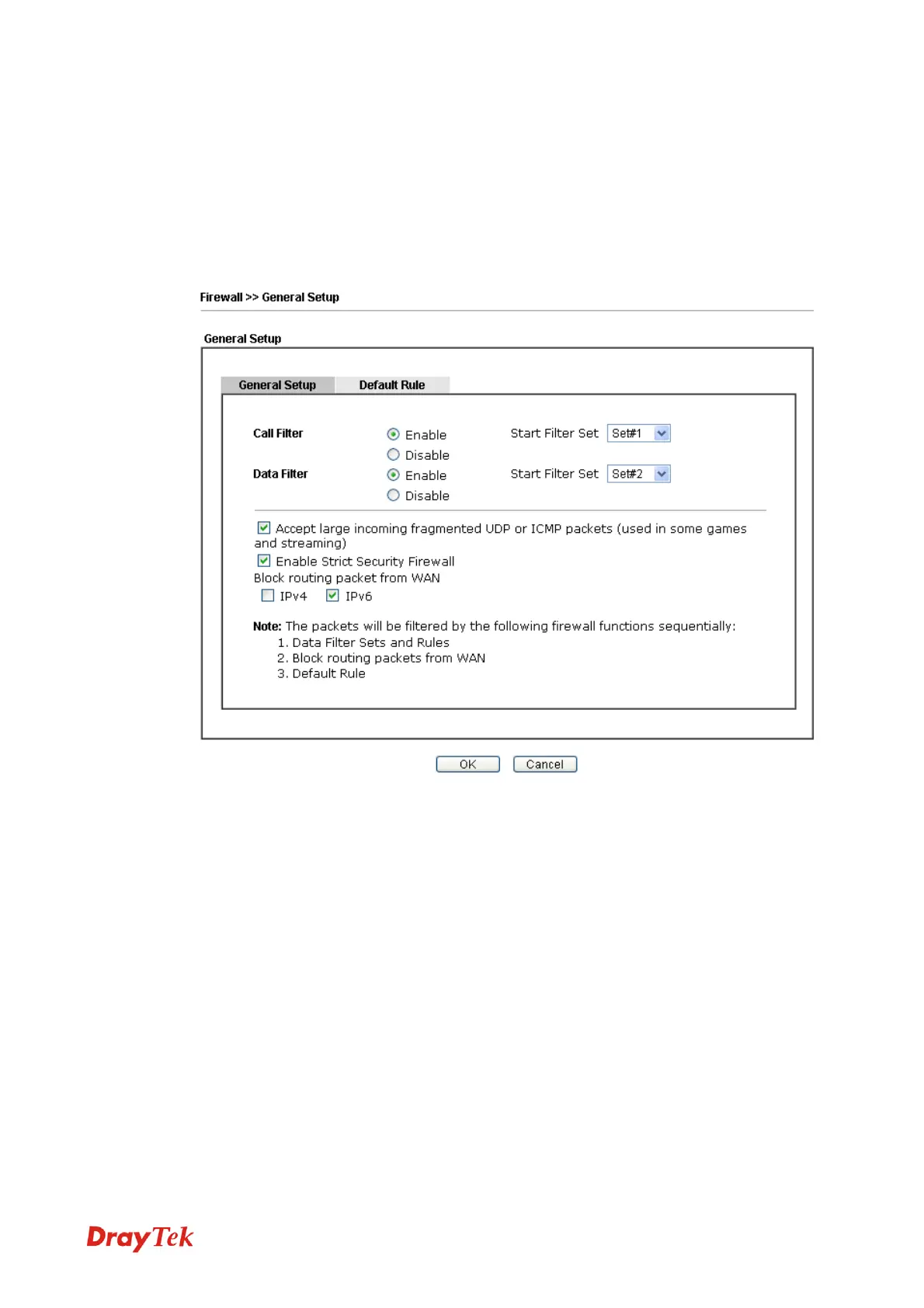
General Setup allows you to adjust settings of IP Filter and common options. Here you can
enable or disable the Call Filter or Data Filter. Under some circumstance, your filter set can
be linked to work in a serial manner. So here you assign the Start Filter Set only. Also you
can configure the Log Flag settings, Apply IP filter to VPN incoming packets, and Accept
incoming fragmented UDP packets.
Click Firewall and click General Setup to open the general setup page.



 To Next Page