Vigor130 Series User’s Guide
74
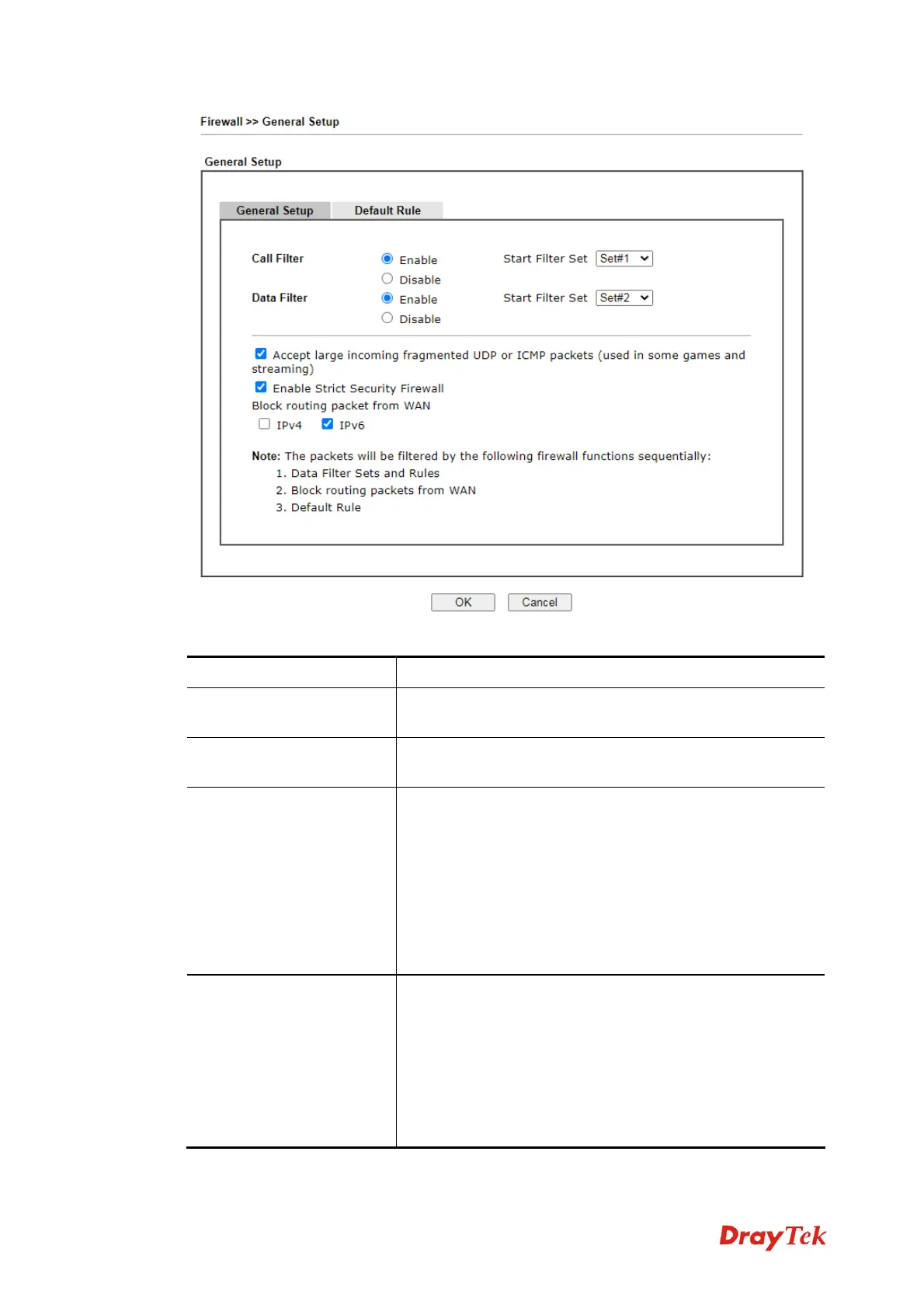
Available settings are explained as follows:
Item Description
Call Filter
Check Enable to activate the Call Filter function. Assign a
start filter set for the Call Filter.
Data Filter
Check Enable to activate the Data Filter function. Assign a
start filter set for the Data Filter.
Accept large incoming…
Some on-line games (for example: Half Life) will use lots
of fragmented UDP packets to transfer game data.
Instinctively as a secure firewall, Vigor modem will reject
these fragmented packets to prevent attack unless you
enable “Accept large incoming fragmented UDP or
ICMP Packets”. By checking this box, you can play these
kinds of on-line games. If security concern is in higher
priority, you cannot enable “Accept large incoming
fragmented UDP or ICMP Packets”.
Enable Strict Security
Firewall
For the sake of security, the modem will execute strict
security checking for data transmission.
Such feature is enabled in default. All the packets, while
transmitting through Vigor modem, will be filtered by
firewall. If the firewall system (e.g., content filter server)
does not make any response (pass or block) for these
packets, then the modem’s firewall will block the packets
directly.



 To Next Page