Vigor130 Series User’s Guide
75
Block routing packet
from WAN
Usually, IPv6 network sessions/traffic from WAN to LAN
will be accepted by IPv6 firewall in default.
IPv6 - To prevent remote client accessing into the PCs on
LAN, check the box to make the packets (routed from WAN
to LAN) via IPv6 being blocked by such router. It is
effective only for the packets routed but not for packets
translated by NAT.
IPv4 - To prevent remote client accessing into the PCs on
LAN, check the box to make the incoming packets via IPv4
being blocked by such router. It is effective only for the
packets routed but not for packets translated by NAT.
D
D
e
e
f
f
a
a
u
u
l
l
t
t
R
R
u
u
l
l
e
e
P
P
a
a
g
g
e
e
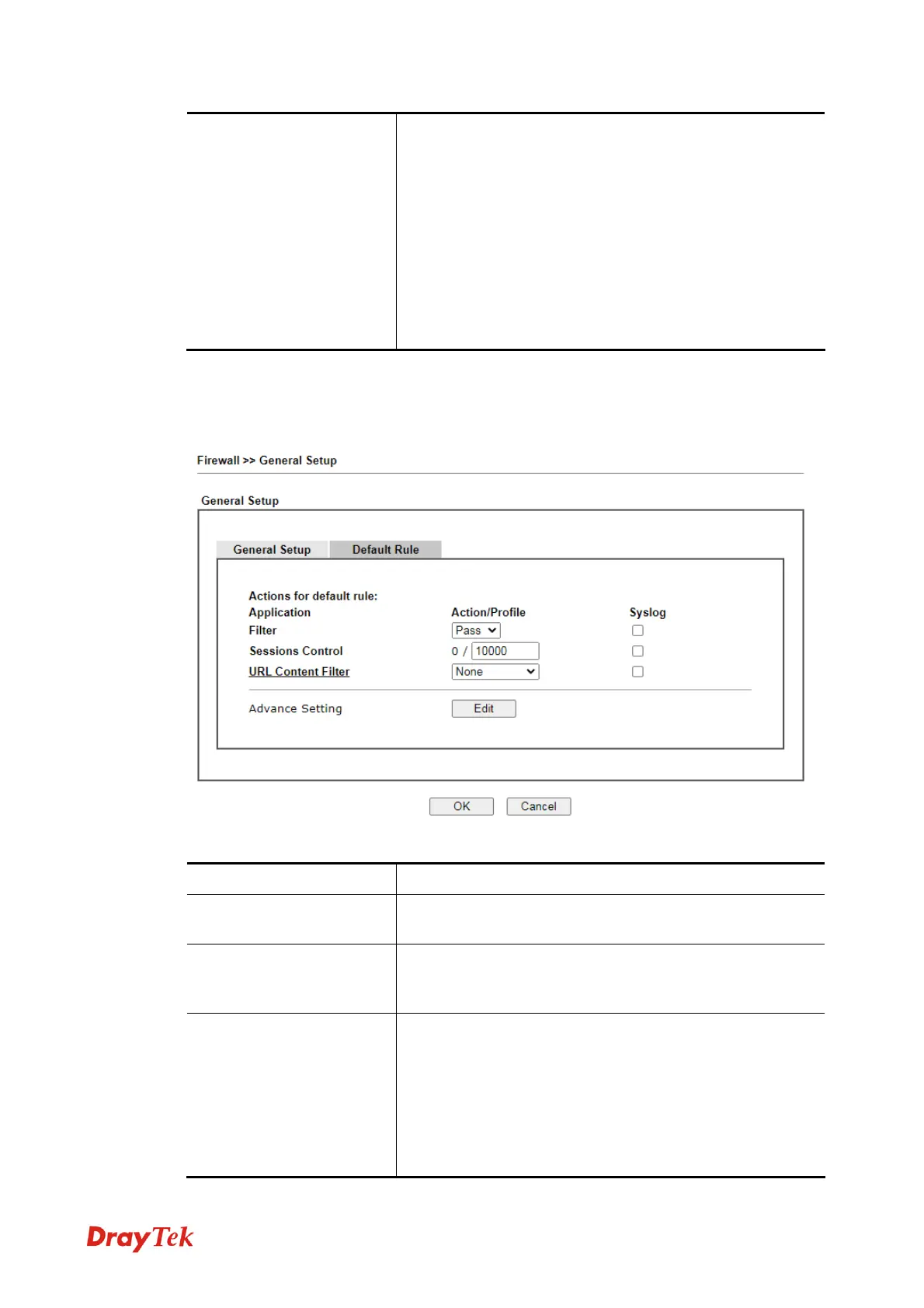
Such page allows you to choose filtering profiles including QoS, Load-Balance policy, WCF,
APP Enforcement, URL Content Filter, for data transmission via Vigor modem.
Available settings are explained as follows:
Item Description
Filter
Select Pass or Block for the packets that do not match with
the filter rules.
Sessions Control
The number typed here is the total sessions of the packets
that do not match the filter rule configured in this page. The
default setting is 60000.
URL Content Filter
Select one of the URL Content Filter profile settings
(created in CSM>> URL Content Filter) for applying with
this modem. Please set at least one profile for choosing in
CSM>> URL Content Filter web page first. Or choose
[Create New] from the drop down list in this page to create
a new profile. For troubleshooting needs, you can specify to
record information for URL Content Filter by checking
the Log box. It will be sent to Syslog server. Please refer to



 To Next Page