Vigor130 Series User’s Guide
46
IP Address From ISP
Fixed IP – Click Yes to use this function and type in a
fixed IP address in the box of Fixed IP Address.
MPoA
(RFC1483/2684)
Obtain an IP address automatically – Click this button to
obtain the IP address automatically.
Router Name – Type in the router name provided by
ISP.
Domain Name – Type in the domain name that you have
assigned.
Specify an IP address – Click this radio button to specify
some data.
IP Address – Type in the private IP address.
Subnet Mask – Type in the subnet mask.
Gateway IP Address – Type in gateway IP address.
DNS Server IP Address - Type in the primary IP address for
the router if you want to use Static IP mode. If necessary, type
in secondary IP address for necessity in the future.
WAN link for Channel 3, 4 and 5 are provided for modem-borne application such as TR-069
and IPTV. The settings must be applied and obtained from your ISP. For your special request,
please contact with your ISP and then click WAN link of Channel 3 or 4 to configure your
modem.
A
A
d
d
v
v
a
a
n
n
c
c
e
e
d
d
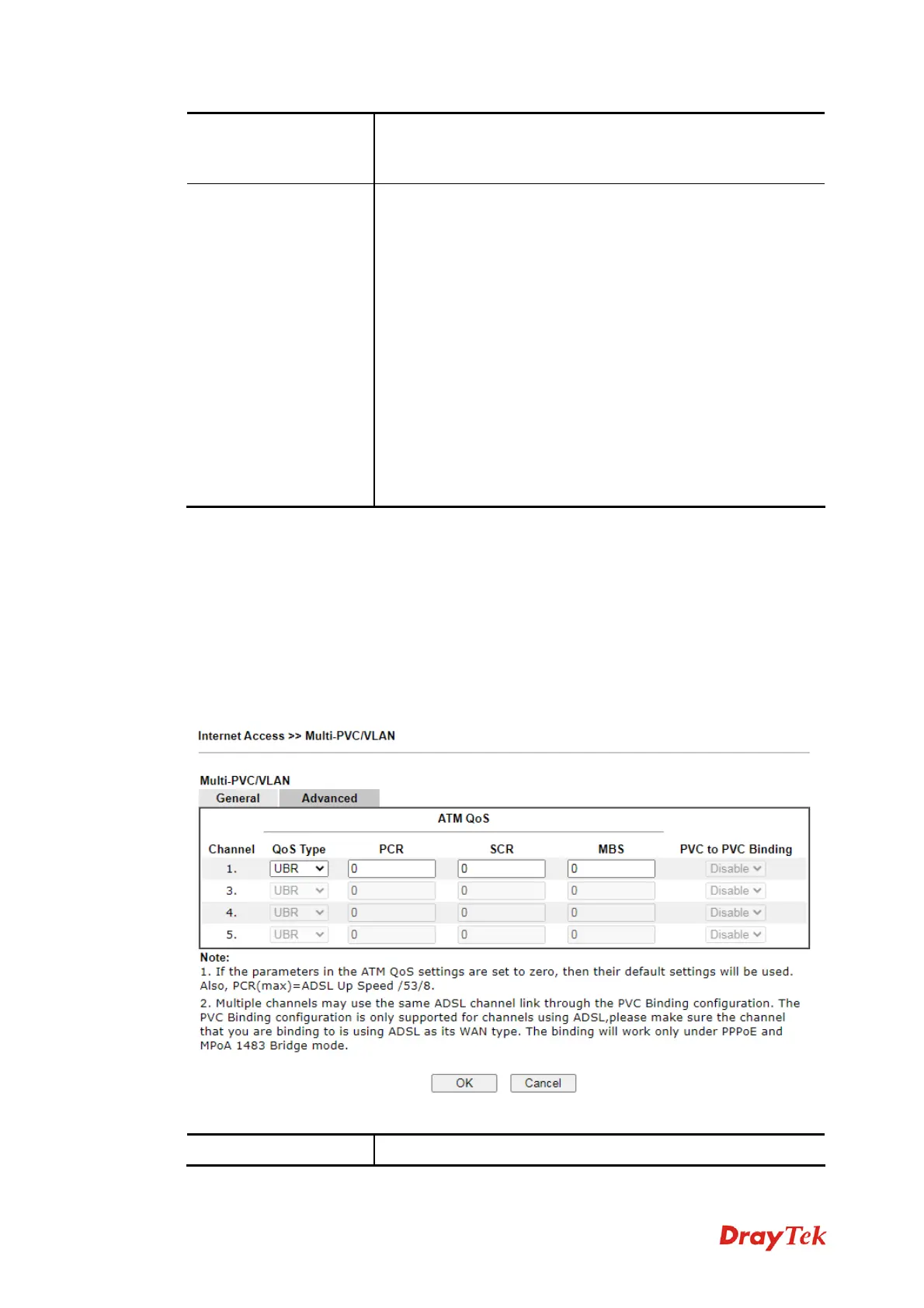
Such configuration is applied to upstream packets. Such information will be provided by ISP.
Please contact with your ISP for detailed information.
Available settings are explained as follows:
Item Description



 To Next Page