Vigor130 Series User’s Guide
60
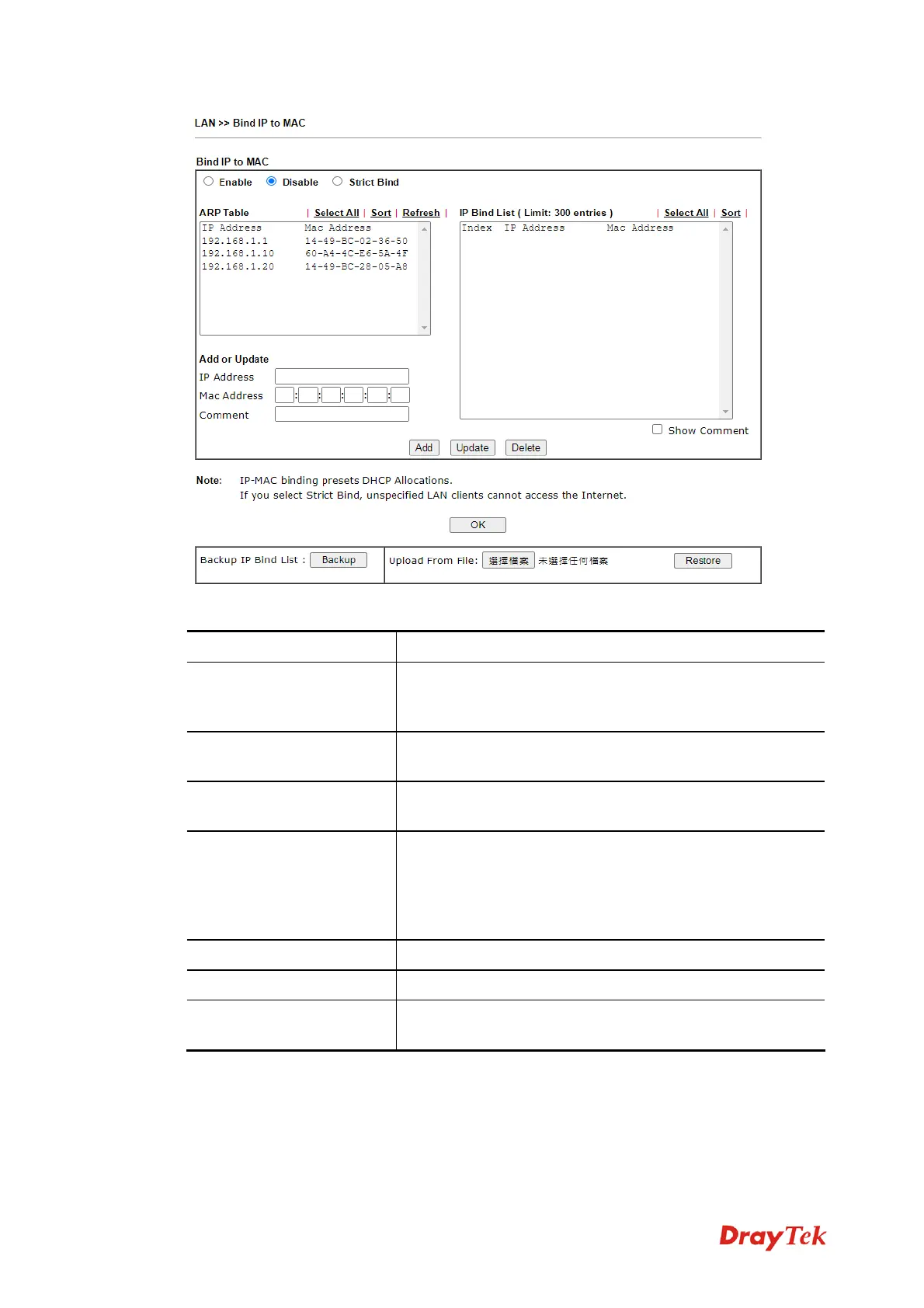
Available settings are explained as follows:
Item Description
Enable
Click this radio button to invoke this function. However,
IP/MAC which is not listed in IP Bind List also can connect
to Internet.
Disable
Click this radio button to disable this function. All the
settings on this page will be invalid.
Strict Bind
Click this radio button to block the connection of the
IP/MAC which is not listed in IP Bind List.
ARP Table
This table is the LAN ARP table of this modem. The
information for IP and MAC will be displayed in this field.
Each pair of IP and MAC address listed in ARP table can
be selected and added to IP Bind List by clicking Add
below
.
Select All
Click this link to select all the items in the ARP table.
Sort
Reorder the table based on the IP address.
Refresh
Refresh the ARP table listed below to obtain the newest
ARP table information.


 To Next Page
 Loading...





